
If you've spent any time configuring user authentication on... Full Story
By Manny Fernandez
August 26, 2026
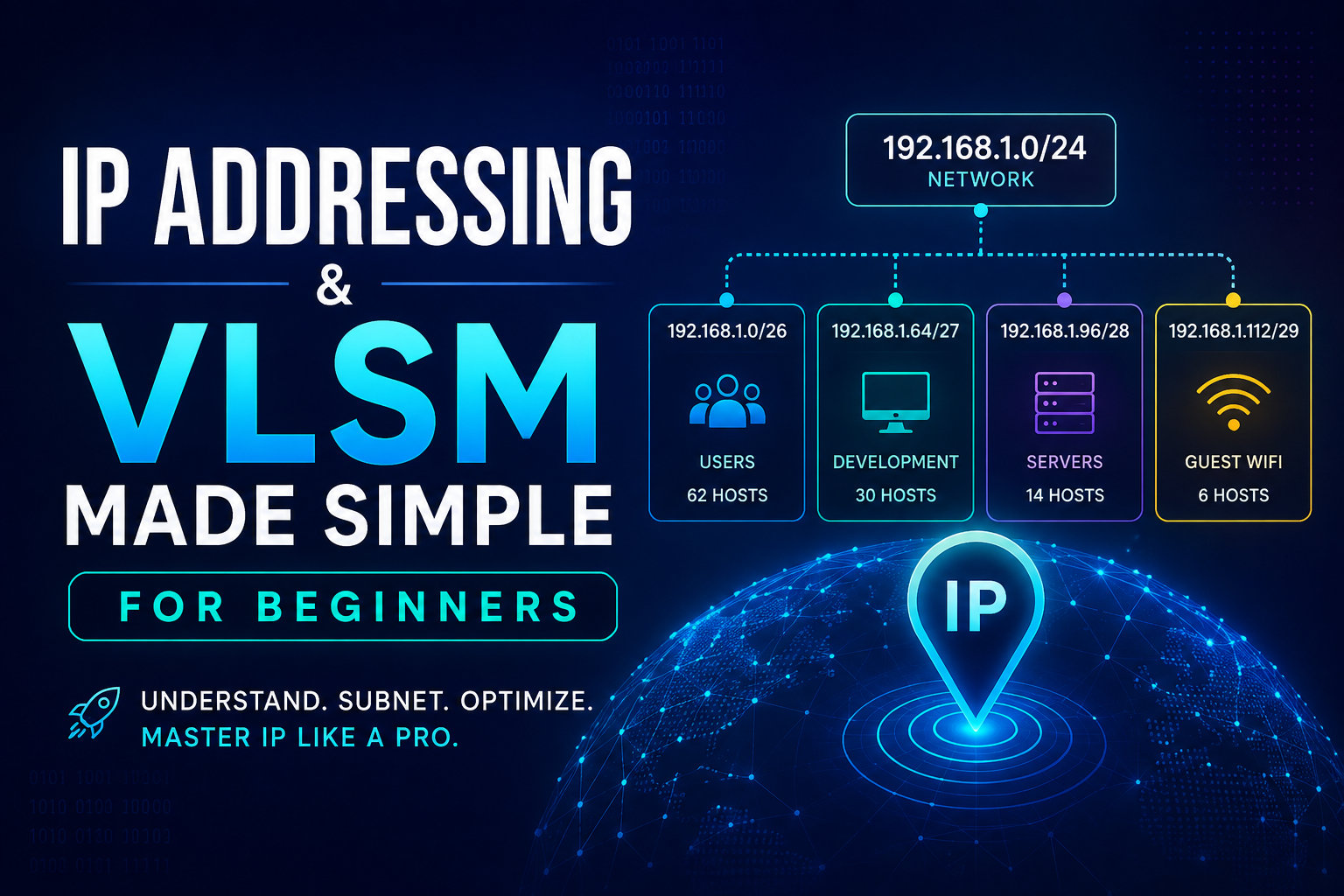
IP Addressing and VLSM Made Simple for Beginners
Subnetting has a reputation for being scary. It isn’t. Underneath the notation and the math, it’s just a way of splitting one big pool of addresses into smaller, right sized pools. This guide walks through IP addressing basics and then Variable Length Subnet Masking (VLSM), the technique that lets you size each subnet to fit the number of hosts it actually needs instead of wasting addresses on equal sized blocks.
In this guide: what an IP address and subnet mask actually represent, how to read CIDR notation, how to split a network into equal subnets, why equal sized subnets waste addresses, and a full worked VLSM example from start to finish.
What Is an IP Address, Really?
An IPv4 address is just 32 bits (32 ones and zeros), written as four decimal numbers separated by dots for readability. Each of those four numbers, called an octet, represents 8 bits and can range from 0 to 255.
Think of an IP address like a mailing address. Part of it identifies the neighborhood (the network), and part of it identifies the specific house (the host). Every device on the same subnet shares the same “neighborhood” portion and has a unique “house number” portion.
Place values:  128  64  32  16  8  4  2  1
Bits:            1   1   0   0  0  0  0  0
                128+64 = 192

So the octet "192" is 11000000 in binary.
Do that four times and you have a full 32 bit address. You will rarely convert by hand once you know the patterns, but it helps to see it at least once.
Network Bits and Host Bits: The Subnet Mask
The subnet mask (or its shorthand, CIDR notation like /26) tells you where the “neighborhood” part of the address ends and the “house number” part begins. A /26 means the first 26 bits are the network portion. Everything after that is host portion, free for you to assign to individual devices.
IP address:   192.168.1.10  /26

11000000.10101000.00000001.00001010

Orange = network bits (first 26)
Grey   = host bits (last 6)
Every device sharing those 26 network bits is on the same subnet. The 6 remaining host bits give you room for individual addresses inside that subnet.
The Subnet Size Cheat Sheet
The number of host bits decides how many addresses a subnet holds. Total addresses = 2 raised to the number of host bits. Usable hosts = total minus 2, because the first address in a block is reserved as the network address and the last is reserved as the broadcast address.
| CIDR | Subnet Mask | Total Addresses | Usable Hosts |
|---|---|---|---|
| /24 | 255.255.255.0 | 256 | 254 |
| /25 | 255.255.255.128 | 128 | 126 |
| /26 | 255.255.255.192 | 64 | 62 |
| /27 | 255.255.255.224 | 32 | 30 |
| /28 | 255.255.255.240 | 16 | 14 |
| /29 | 255.255.255.248 | 8 | 6 |
| /30 | 255.255.255.252 | 4 | 2 |
| /31 | 255.255.255.254 | 2 | 2 (RFC 3021, point to point only) |
| /32 | 255.255.255.255 | 1 | 1 (host route) |
Bookmark this table. Everything that follows is just an application of it.
Basic Subnetting: Splitting a Network Into Equal Pieces
Say you’re handed 192.168.10.0/24 and asked to divide it into 4 equal subnets, one per building, each needing up to 60 hosts. Using the cheat sheet, 60 hosts needs at least a /26 (62 usable). A /24 split into /26 blocks gives you exactly 4 subnets.
| Building | Subnet | Usable Range | Broadcast |
|---|---|---|---|
| A | 192.168.10.0/26 | 192.168.10.1 to .62 | 192.168.10.63 |
| B | 192.168.10.64/26 | 192.168.10.65 to .126 | 192.168.10.127 |
| C | 192.168.10.128/26 | 192.168.10.129 to .190 | 192.168.10.191 |
| D | 192.168.10.192/26 | 192.168.10.193 to .254 | 192.168.10.255 |
Notice the pattern: each block starts at a multiple of 64 (the block size), and the next block begins immediately after the previous one’s broadcast address.
The Problem With Equal Sized Subnets
That example worked cleanly because all 4 buildings happened to need the same number of hosts. Real networks are rarely that tidy. What happens when one segment needs 60 hosts, another needs 28, another needs 12, and a point to point WAN link only needs 2?
If you force every subnet to the same /26 size to cover the largest requirement, the segment that only needs 2 hosts still consumes a 62 host block. Multiply that waste across a few dozen small links and VLANs, and you run out of address space fast, even on a network with plenty of raw addresses to spare. This is the gap VLSM closes.
What Is VLSM?
Variable Length Subnet Masking (VLSM) lets you assign a different subnet mask to each subnet based on how many hosts it actually needs, carving one address block into differently sized pieces instead of forcing everything into the same size. The result: every segment gets a mask that fits, and the addresses you don’t use stay available for future growth instead of being burned on oversized blocks.
The VLSM Method, Step by Step
- List every subnet you need and how many hosts each one requires. Add a little headroom for growth if you can spare it.
- Sort the list from largest host requirement to smallest. This is the step people skip, and it’s the one that matters most.
- Assign the smallest mask that satisfies the largest requirement first, starting from the beginning of your address block.
- Move to the next available address immediately after the block you just assigned, then repeat for the next largest requirement.
- Continue until every requirement has a subnet. Whatever is left over becomes your reserve for future growth.
Always allocate largest to smallest. Allocating out of order fragments the address space and can leave you with plenty of free addresses but no single block big enough for a large subnet you add later.
Worked Example: VLSM in Action
You’ve been handed 10.10.0.0/24 to address one branch site with four requirements:
- Sales: 60 hosts
- Engineering: 28 hosts
- IT: 12 hosts
- Point to point WAN link to the regional hub: 2 hosts
That list is already sorted largest to smallest, so let’s apply the cheat sheet to each one:
Sales:        need >= 60 hosts  ->  /26  (64 addrs, 62 usable)
Engineering:  need >= 28 hosts  ->  /27  (32 addrs, 30 usable)
IT:           need >= 12 hosts  ->  /28  (16 addrs, 14 usable)
WAN Link:     need >=  2 hosts  ->  /30  ( 4 addrs,  2 usable)
Now allocate starting from 10.10.0.0, largest first, moving to the next available address after each block:
| Segment | Hosts Needed | Subnet | Usable Range | Broadcast |
|---|---|---|---|---|
| Sales | 60 | 10.10.0.0/26 | 10.10.0.1 to .62 | 10.10.0.63 |
| Engineering | 28 | 10.10.0.64/27 | 10.10.0.65 to .94 | 10.10.0.95 |
| IT | 12 | 10.10.0.96/28 | 10.10.0.97 to .110 | 10.10.0.111 |
| WAN Link | 2 | 10.10.0.112/30 | 10.10.0.113 to .114 | 10.10.0.115 |
| Reserved | 140 addresses available | 10.10.0.116/28 and up | 10.10.0.116 to .255 | future use |
Here’s what that looks like across the full /24, drawn to scale:
- Sales /26 (25% of the block)
- Engineering /27 (12.5%)
- IT /28 (6.25%)
- WAN Link /30 (under 2%, hard to see at this scale, that’s the point)
- Reserved for growth (about 55%)
Compare that to forcing all 4 segments into equal /26 blocks. That approach uses the entire /24 with nothing left over, and IT’s 12 hosts plus the WAN link’s 2 hosts each still occupy a 62 host block they’ll never fill. VLSM gets the same 4 segments addressed and still leaves 140 addresses in reserve.
Common Mistakes to Avoid
- Forgetting to subtract the network and broadcast address when counting usable hosts (the /31 point to point case is the one exception).
- Not sorting largest to smallest before allocating. Allocating out of order fragments your space and can strand you without room for a large block later.
- Miscalculating the next available address and accidentally overlapping two subnets.
- Not leaving headroom for growth. A segment that maxes out its mask on day one has nowhere to expand without renumbering.
- Confusing the subnet mask with a wildcard mask when writing ACLs or routing protocol statements. A wildcard mask is the inverse of the subnet mask.
Try It Yourself
You’ve been handed 172.16.5.0/24 to address a small office with these requirements:
- Workstations: 100 hosts
- Voice VLAN: 40 hosts
- Guest Wi-Fi: 20 hosts
- Point to point link to the ISP: 2 hosts
Sort them, pick the smallest mask that satisfies each one, and allocate starting from 172.16.5.0. Work it out on paper before you check with a calculator. Hint: your host bit counts should land on 7, 6, 5, and 2, in that order.
Once you’ve got an answer, verify it with a subnet calculator like ipcalc to catch any off by one errors before you type it into a router.
That’s the whole trick to VLSM: figure out what each segment actually needs, size the mask to match, and allocate largest to smallest. No fluff, just the math that works.
Recent posts
-

-

DNS is one of those technologies that quietly underpins... Full Story
-

BGP issues on FortiGate firewalls usually trace back to... Full Story
-

Every time your laptop talks to your router, a... Full Story
-

If you've spent any time configuring NAT on a... Full Story
-

If you have spent any time configuring firewall policies... Full Story
-

High availability on FortiGate is one of those features... Full Story
-

If you've configured SD-WAN on a FortiGate, you've almost... Full Story
-

FortiLink is the management protocol that turns a FortiSwitch... Full Story
-

FortiSwitches are pretty rock solid from Mean Time Between... Full Story
-

This is a quicky tip. Have you ever gone... Full Story
-

DNS is one of those quiet pieces of internet... Full Story
-

This article is an updated version of the previous... Full Story
-

You will add ns2 as a secondary (slave) BIND9... Full Story
-

In the process of deploying my lab, I needed... Full Story
-

RFC 8805, used to be known as Self-Correcting IP... Full Story
-

Years back, I wrote an article about certificate pinning. ... Full Story
-

FortiGates have the ability to send alerts to Microsoft... Full Story
-

In this post, I am going to walk through... Full Story
-

Troubleshooting VoIP on a FortiGate can feel like trying... Full Story
-

Prior to FortiOS 7.0, there were three commands to... Full Story
-

In this post, I am going to go over... Full Story
-

What we are going to do: We are going... Full Story
-

Choosing between FGCP (FortiGate Clustering Protocol) and FGSP (FortiGate... Full Story
-

Creating a VLAN on macOS (The "Pro" Move) A... Full Story
-

This blog post explores the logic behind how macOS... Full Story
-

Pretty Fly for a Wi-Fi Tell My Wi-Fi Love... Full Story
-

Part of my daily gig is creating BoMs (Bill-of-Materials)... Full Story
-

ICMP introduces several security risks, but careful filtering, rate... Full Story
-

The command diag debug application dhcps -1 enables full... Full Story
-

In the world of FortiOS, execute tac report is... Full Story
-

LLDP; What is it The Link Layer Discovery Protocol... Full Story
-

What it actually does When you run diagnose fdsm... Full Story
-

Monkey Bites are bite-sized, high-impact security insights designed for... Full Story
-

I have run macOS in macOS with Parallels but... Full Story
-

Don't be confused with my other FortiNAC posts where... Full Story
-

This is the third session in a multi-part article... Full Story
-

Today I was configuring key-based authentication on a FortiGate... Full Story
-

Netcat, often called the "Swiss Army knife" of networking,... Full Story
-

At its core, IEEE 802.1X is a network layer... Full Story
-

In case you did not see the previous FortiNAC... Full Story
-

This is our 5th session where we are going... Full Story
-

Now that we have Wireshark installed and somewhat configured,... Full Story
-

The Philosophy of Packet Analysis Troubleshooting isn't about looking... Full Story
-

Nmap Scripting Engine (NSE): From One-Liners to Your First... Full Story
-

Stand up TRex on Ubuntu, wire it through a... Full Story
-

1. Executive Summary Objective: Get a working, persistent nftables... Full Story