
If you've spent any time configuring user authentication on... Full Story
By Manny Fernandez
August 25, 2026
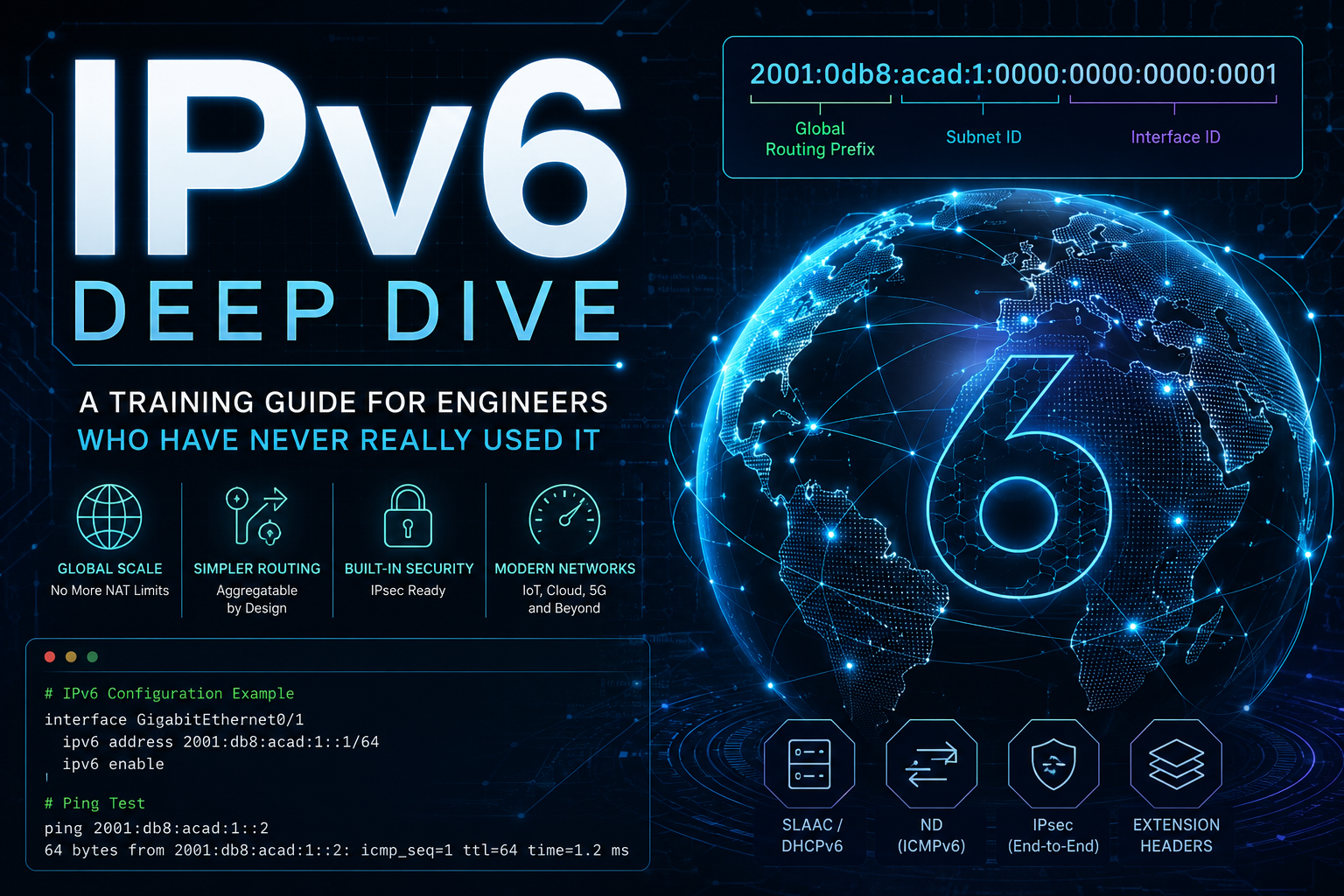
IPv6 Deep Dive: A Training Guide for Engineers Who Have Never Really Used It
You know networking. You can subnet IPv4 in your head, you understand NAT, you have configured a hundred firewalls. And yet every time IPv6 comes up you quietly hope it stays disabled. This guide fixes that. By the end you will read an IPv6 address the way you read an IPv4 address, you will understand how a host gets an address without DHCP, you will know why blocking all ICMP breaks everything, and you will have config that works on Linux, Cisco, FortiGate, and Windows.
This is a deep dive, not a cheat sheet. Take it in sections.
1. Why IPv6 Exists
IPv4 uses a 32-bit address. That is roughly 4.3 billion addresses (2^32). In 1981 that felt infinite. It is not. The central pool of unallocated IPv4 blocks (managed by IANA) ran dry in 2011, and the regional registries followed over the next several years. We kept the internet running past exhaustion with three crutches: Network Address Translation (NAT), Classless Inter-Domain Routing (CIDR), and a brisk secondary market where IPv4 blocks now sell for real money per address.
NAT deserves special attention because it shaped an entire generation of network thinking. NAT lets many private hosts share one public address by rewriting address and port information in the packet header. It works, but it breaks the internet’s original end-to-end model: an inside host is no longer directly reachable, protocols that embed addresses in their payload (SIP, FTP, some VPNs) need special handling, and you accumulate layers of stateful translation that must be maintained and scaled.
IPv6 is the actual fix. It uses a 128-bit address. That is 2^128 addresses, which is about 340 undecillion (3.4 x 10^38). The number is so large it stops being a useful mental image. The practical takeaway: address scarcity is gone, so the design choices that scarcity forced on us (NAT, tiny subnets, address conservation) are gone too. IPv6 was built to restore end-to-end addressing, simplify the packet header, and automate host configuration.
IPv6 is not “IPv4 with more digits.” Several core behaviors changed. Read on.
2. Reading and Writing an IPv6 Address
An IPv6 address is 128 bits, written as eight groups of 16 bits each, in hexadecimal, separated by colons. Each 16-bit group is called a hextet (some texts say “quartet” or just “group”).
A full, uncompressed address looks like this:
2001:0db8:0000:0000:0000:ff00:0042:8329Nobody writes them that way. Two compression rules make them manageable, and you must know both cold.
Rule 1: Drop leading zeros in each hextet
Within any single hextet you may remove leading zeros. You may not remove trailing zeros, and you may not remove zeros from the middle.
2001:0db8:0000:0000:0000:ff00:0042:8329
2001:db8:0:0:0:ff00:42:8329
0db8 becomes db8. 0042 becomes 42. 0000 becomes 0. Note ff00 stays ff00 (those zeros are trailing inside the hextet, not leading).
Rule 2: Collapse one run of all-zero hextets with ::
A single contiguous run of one or more all-zero hextets can be replaced with a double colon (::).
2001:db8:0:0:0:ff00:42:8329
2001:db8::ff00:42:8329
The parser reconstructs the missing hextets by counting: it sees six hextets present, knows there must be eight, and fills the gap at :: with two zero hextets.
The one hard rule about
::: you may use it only once per address. If an address had two separate zero runs, the parser could not tell how many zeros belong to each side.2001:db8::1:0:0:1 is fine (one :: run)
2001::db8::1 is INVALID (two :: runs)When you have a choice, :: should collapse the longest run of zeros. If two runs are equal length, collapse the first one. This is a cosmetic canonicalization rule (RFC 5952), but tooling and logs expect it, so follow it.
Worked examples
| Full | Compressed |
|---|---|
2001:0db8:0000:0000:0000:0000:0000:0001 |
2001:db8::1 |
fe80:0000:0000:0000:0204:61ff:fe9d:f156 |
fe80::204:61ff:fe9d:f156 |
0000:0000:0000:0000:0000:0000:0000:0001 |
::1 |
0000:0000:0000:0000:0000:0000:0000:0000 |
:: |
2001:0db8:0000:0000:0001:0000:0000:0001 |
2001:db8:0:0:1::1 |
That last one is the trap. There are two zero runs (positions 3-4 and positions 6-7). Hextets are: 2001 db8 0 0 1 0 0 1. The first run (hextets 3 and 4) is length 2. The second run (hextets 6 and 7) is also length 2. Equal length, so collapse the first: 2001:db8::1:0:0:1. Both compressions are technically valid addresses, but only the “collapse first, longest run” form is canonical.
The prefix length
Just like IPv4 CIDR, an IPv6 address carries a prefix length that says how many leading bits are the network portion:
2001:db8:abcd:1234::/64The /64 means the first 64 bits identify the network (the prefix), and the remaining 64 bits identify the host (the interface identifier). Hold on to /64. It is not just a common choice in IPv6, it is structural. More on that in Section 4.
3. Address Types: There Is No Broadcast
IPv4 has three delivery models: unicast (one to one), multicast (one to a group), and broadcast (one to all on the segment). IPv6 keeps unicast and multicast, deletes broadcast entirely, and adds anycast. If you remember one thing from this section: broadcast is gone, and the functions that used broadcast now use multicast to a specific well-known group.
Global Unicast Addresses (GUA)
These are the public, internet-routable addresses, the IPv6 equivalent of a public IPv4 address. They currently come from the block 2000::/3, which means any address starting with binary 001 (in practice, addresses beginning 2 or 3). When you see something like 2001:db8:: or 2600:..., that is a global unicast address.
2001:db8::/32 specifically is reserved for documentation and examples (RFC 3849), which is why every example in this guide uses it. Do not configure it on real gear.
Link-Local Addresses (LLA)
Every IPv6 interface that is up automatically gets a link-local address from fe80::/10. You do not configure it, it just appears. In practice you will always see it written as fe80::/64 with an interface identifier filling the rest.
Link-local addresses are valid only on the local link (the local Layer 2 segment). Routers never forward packets with a link-local source or destination off the link. They are used for on-link housekeeping: neighbor discovery, router discovery, and as next-hop addresses for routing. IPv6 routing protocols like OSPFv3 actually use link-local addresses as their neighbor adjacency and next-hop addresses.
Because fe80::/10 is reused on every link, a link-local address is ambiguous by itself: the same fe80::1 might exist on three interfaces. So when you use one you must say which interface, using a zone identifier (also called a scope ID):
ping fe80::1%eth0      # Linux/macOS: interface name after %
ping fe80::1%12        # Windows: interface index after %
That
%eth0 is not optional. Forgetting it is the single most common beginner error when working with link-local addresses.Unique Local Addresses (ULA)
fc00::/7 is the “private” IPv6 space, conceptually similar to RFC 1918 (10.0.0.0/8, 192.168.0.0/16) in IPv4. In practice everyone uses the fd00::/8 half, where you are expected to generate a random 40-bit Global ID so your ULA prefix is globally unique-ish and will not collide when you merge networks or run a VPN. A ULA prefix looks like fd12:3456:789a::/48.
ULAs are routable inside your organization but are not routed on the public internet. Use them for internal-only services, management networks, and anything that should never be reachable from outside, independent of your ISP-assigned prefix. A key benefit: your ULA addressing stays stable even if your ISP changes the global prefix they delegate to you.
Do not try to recreate IPv4 NAT with ULAs by default. The IPv6 model is that internal hosts also hold a global address and are protected by a stateful firewall, not by translation. ULA is for addressing stability and internal-only reach, not for hiding hosts.
Multicast Addresses
Anything in ff00::/8 is multicast. IPv6 leans on multicast heavily because it replaced broadcast. A few well-known groups you will see constantly:
| Address | Meaning |
|---|---|
ff02::1 |
All nodes on the link (the closest thing to a “broadcast”) |
ff02::2 |
All routers on the link |
ff02::5 / ff02::6 |
OSPFv3 routers / OSPFv3 designated routers |
ff02::1:ffXX:XXXX |
Solicited-node multicast (used by Neighbor Discovery, see Section 6) |
The second character after ff encodes flags and scope. ff02:: is link-local scope, which is why the addresses above are all link-scoped. Scope is baked into the multicast address itself, a nice change from IPv4.
Anycast Addresses
Anycast means the same address is assigned to multiple hosts, and the network delivers a packet to the topologically nearest one. IPv6 has no special syntax for anycast: an anycast address looks exactly like a unicast address, it is just configured on more than one node. Anycast is how the DNS root servers and large CDNs work. You will consume it far more often than you configure it.
Special addresses to memorize
| Address | Name | Purpose |
|---|---|---|
::1/128 |
Loopback | The IPv6 127.0.0.1. One address, not a whole /8. |
::/128 |
Unspecified | “I have no address yet.” Source address during autoconfiguration. |
::/0 |
Default route | The IPv6 0.0.0.0/0. |
::ffff:0:0/96 |
IPv4-mapped | Represents an IPv4 address inside IPv6, e.g. ::ffff:192.0.2.1. Used by dual-stack sockets. |
2001:db8::/32 |
Documentation | Reserved for docs and examples. |
64:ff9b::/96 |
NAT64 well-known prefix | Used by NAT64 translation (Section 9). |
4. Why /64 Is Everywhere
In IPv4 you subnet aggressively to conserve addresses: a point-to-point link gets a /30 or /31, a small office gets a /26, and you feel clever squeezing it. Stop doing that in IPv6. The standard and expected subnet size for essentially every network segment in IPv6 is /64. Yes, even a point-to-point link between two routers. Yes, even a network with three hosts.
That is not waste, because scarcity is gone. A single /64 contains 2^64 addresses (about 18 quintillion). You will never fill one. And several IPv6 mechanisms, most importantly Stateless Address Autoconfiguration (SLAAC), are designed to only work on a /64, because they assume a 64-bit prefix and a 64-bit interface identifier. If you configure a /120 or a /112 to feel frugal, SLAAC breaks and you will spend an afternoon confused.
The allocation model works like this:
- Your ISP delegates a prefix to your site. A common delegation is a
/48, sometimes a/56for residential. - A
/48gives you 16 bits of subnet space, which is 65,536/64subnets. A/56gives you 256/64subnets. Either way, plenty. - You carve individual
/64subnets out of that delegation, one per VLAN or segment.
So the mental shift is: you subnet at the /64 boundary and you plan with hextets, not with host-bit arithmetic. Subnet planning in IPv6 is about laying out the subnet bits between your site prefix and the /64, which is nibble-aligned hex counting, not the binary borrow-a-bit math of IPv4.
Example. Say you receive 2001:db8:acab::/48. You have hextet 4 (16 bits) to number subnets:
2001:db8:acab:0000::/64   -> VLAN 0  (management)
2001:db8:acab:0001::/64   -> VLAN 1  (servers)
2001:db8:acab:0010::/64   -> VLAN 16 (guest wifi)
2001:db8:acab:00ff::/64   -> VLAN 255
Many shops encode meaning into the subnet hextet (site number, VLAN ID in hex, location code) because they have the room to be readable. That readability is a real operational win.
The interface identifier: how the host half gets filled
The lower 64 bits (the interface ID) can be built a few ways:
- EUI-64: derived from the interface MAC address. Take the 48-bit MAC, split it, insert
fffein the middle, and flip the 7th bit (the universal/local bit). A MAC of00:0c:29:9d:f1:56becomes interface ID020c:29ff:fe9d:f156. You can spot EUI-64 addresses instantly by theff:fein the middle. The privacy downside: your MAC is now embedded in your address and follows you across networks. - Privacy extensions (RFC 4941, updated by RFC 8981): the host generates a random, rotating interface ID so it cannot be tracked by address. Modern Windows, macOS, iOS, and Android use these by default for outbound connections. This is why a host often has several global addresses at once: a stable one and a temporary one.
- Stable-but-opaque (RFC 7217): a per-network stable random ID that does not leak the MAC but stays constant on a given link. A good default for servers.
- Manual / static: for servers and infrastructure you just assign a clean address like
2001:db8:acab:1::53for a DNS box. Low interface IDs like::1,::53,::80are conventional and human-friendly.
5. How a Host Gets an Address Without DHCP
This is the part that surprises IPv4 engineers most. In IPv6 a host can fully configure itself with a routable address and a default gateway and no DHCP server anywhere. The mechanism is SLAAC, and it runs on ICMPv6 messages called Router Advertisements.
The sequence
- Interface comes up. The host builds its own link-local address (
fe80::plus an interface ID) with no help from anyone. - Before using it, the host runs Duplicate Address Detection (see Section 6) to make sure nobody else has that address.
- The host sends a Router Solicitation (RS) to
ff02::2(all routers) asking “is there a router here, and what is the prefix?” - A router replies (or periodically multicasts anyway) with a Router Advertisement (RA) to
ff02::1(all nodes). The RA contains the on-link prefix (for example2001:db8:acab:1::/64), the router’s link-local address as the default gateway, and a set of flags. - The host takes the advertised
/64prefix, appends its own interface ID, runs DAD on the result, and now has a working global address plus a default route. No DHCP involved.
The flags that decide DHCP vs SLAAC
The RA carries two flags that tell the host how much to rely on DHCPv6:
- A flag (Autonomous): set on a prefix means “use this prefix for SLAAC.” This is what lets the host self-assign.
- M flag (Managed): “get your address from a DHCPv6 server (stateful).” The router is telling hosts to ask DHCPv6 for an address.
- O flag (Other): “use SLAAC for your address, but get other config (DNS servers, etc.) from DHCPv6 (stateless).”
The common combinations:
| M | O | Result |
|---|---|---|
| 0 | 0 | Pure SLAAC. Address from RA. DNS from the RA’s RDNSS option (RFC 8106). |
| 0 | 1 | SLAAC for the address, DHCPv6 for DNS and other options (stateless DHCPv6). |
| 1 | 0 | DHCPv6 assigns the address (stateful). |
| 1 | 1 | DHCPv6 assigns address and options (fully stateful). |
DHCPv6, and the thing it cannot do
DHCPv6 exists and works, but it is different from DHCPv4 in a way that trips people up: standard DHCPv6 does not hand out a default gateway. There is no equivalent of the IPv4 “router” option. The default gateway in IPv6 always comes from the Router Advertisement.
So even in a fully DHCPv6-managed network, RAs must still be flowing to provide the gateway. You cannot turn RAs off and run “DHCP only” the way you might in IPv4.
The other big DHCPv6 concept is Prefix Delegation (DHCPv6-PD). This is how a router (like your home or branch router) requests a whole prefix (say a /56) from the upstream ISP, then subnets it into /64s for its internal networks. It is the standard way sites get their address space dynamically.
A practical warning for security folks: because a host will believe any Router Advertisement it hears, a rogue RA (malicious or accidental, for example a misconfigured host doing Internet Connection Sharing) can hijack the default gateway for the whole segment. This is a real, common problem. The mitigation is RA Guard on your switches. We come back to this in Section 11.
6. Neighbor Discovery: The Death of ARP
IPv4 uses ARP (Address Resolution Protocol) to map an IP address to a MAC address on the local segment. ARP is a separate Layer 2 protocol that broadcasts. IPv6 has no ARP and no broadcast. Instead it uses the Neighbor Discovery Protocol (NDP), which runs on top of ICMPv6 and uses multicast. NDP does far more than ARP did. It handles address resolution, router discovery, autoconfiguration, duplicate detection, and reachability tracking.
NDP is built from five ICMPv6 message types:
| Type | Name | Replaces / Purpose |
|---|---|---|
| 133 | Router Solicitation (RS) | Host asks for routers |
| 134 | Router Advertisement (RA) | Router announces itself, prefix, flags |
| 135 | Neighbor Solicitation (NS) | The ARP request equivalent: “who has this address?” |
| 136 | Neighbor Advertisement (NA) | The ARP reply equivalent: “I have it, here is my MAC” |
| 137 | Redirect | Router tells host of a better next hop |
Address resolution with the solicited-node multicast
Here is the clever part. When a host needs the MAC for 2001:db8::42:8329, it does not broadcast to the whole segment like ARP does. It sends a Neighbor Solicitation to a solicited-node multicast address, which is ff02::1:ff plus the last 24 bits of the target address:
Target:            2001:db8::42:8329
Solicited-node:    ff02::1:ff42:8329
Only hosts whose address shares those last 24 bits are subscribed to that multicast group, so typically only the one target host (and rarely a handful) even sees the request. The target replies with a Neighbor Advertisement containing its MAC. This is dramatically quieter than ARP broadcast, which every host on the segment must process.
The learned mappings live in the neighbor cache, the IPv6 equivalent of the ARP table. On Linux you view it with ip -6 neighbor show, on Windows with netsh interface ipv6 show neighbors.
Duplicate Address Detection (DAD)
Before a host uses any address (link-local or global) it must prove no one else has it. It sends a Neighbor Solicitation for its own tentative address, sourced from the unspecified address ::. If anyone answers, there is a conflict and the address is not used. If silence, the address is good. This is automatic and happens every time an interface comes up. If you ever see an address stuck in “tentative” or “dadfailed” state, DAD found a conflict.
Neighbor Unreachability Detection (NUD)
NDP also actively tracks whether neighbors are still reachable, moving cache entries through states (REACHABLE, STALE, DELAY, PROBE) and re-probing when needed. IPv4’s ARP cache was much more passive. This is why the IPv6 neighbor table has a “state” column that ARP never had.
The security consequence of all this: every one of these functions runs on ICMPv6. If you copy an IPv4 firewall habit and “block all ICMP,” you break address resolution, router discovery, and autoconfiguration. On IPv6 links, the network stops working. This is the number one IPv6 mistake made by IPv4-trained engineers. See Section 8.
7. The IPv6 Header
The designers used the address-space reset as a chance to clean up the packet header. The IPv6 header is simpler and fixed-length, which makes it faster for routers to process.
Key differences from the IPv4 header:
- Fixed 40-byte header. IPv4’s header was variable length (20 to 60 bytes) because of options. IPv6’s base header is always exactly 40 bytes. Optional features moved to extension headers (below).
- No header checksum. IPv4 recomputes a header checksum at every hop, which is slow. IPv6 dropped it, relying on Layer 2 and Layer 4 checksums instead. Fewer per-hop operations.
- Routers do not fragment. In IPv4 a router could fragment a too-big packet. In IPv6, routers never fragment in transit. If a packet is too big for a link, the router drops it and sends back an ICMPv6 “Packet Too Big” message, and the source must handle it. This makes Path MTU Discovery mandatory, and it makes ICMPv6 “Packet Too Big” a message you must never filter (see Section 8).
- Flow Label field. A 20-bit field for tagging packet flows for QoS or load balancing, something IPv4 never had natively.
- “Next Header” instead of “Protocol.” The field that used to name the upper-layer protocol now either names the upper-layer protocol (6 for TCP, 17 for UDP, 58 for ICMPv6) or points to the first extension header.
Extension headers
Instead of cramming options into the base header, IPv6 chains optional extension headers between the base header and the payload. Each header’s “Next Header” field points to the next one, forming a chain. Common ones: Hop-by-Hop Options, Routing, Fragment, Destination Options, and the IPsec headers Authentication (AH) and Encapsulating Security Payload (ESP).
For security teams this is important: extension header chains can be abused to evade inspection (deeply nested or oversized chains that hide the real Layer 4 header from a firewall or IDS). Modern firewalls parse and enforce limits on the chain. Know that this attack surface exists.
8. ICMPv6: You Cannot Just Block It
In IPv4, ICMP is largely optional convenience (ping, traceroute) plus some path signaling. Plenty of paranoid firewalls block most of it and the network keeps working. IPv6 is different. ICMPv6 is load-bearing. Neighbor Discovery, SLAAC, Path MTU Discovery, and DAD all run on ICMPv6. Block it wholesale and IPv6 stops functioning.
RFC 4890 is the reference for exactly which ICMPv6 types to permit. The short, practical version: on any IPv6 interface or firewall, you must allow at minimum:
- Type 1 Destination Unreachable
- Type 2 Packet Too Big (this one is critical, blocking it silently breaks large transfers via PMTUD black holes)
- Type 3 Time Exceeded
- Type 4 Parameter Problem
- Types 133-137 the Neighbor Discovery messages (RS, RA, NS, NA, Redirect), especially on links where hosts live
- Types 128/129 Echo Request/Reply if you want ping to work
You can and should rate-limit ICMPv6 and be selective about Redirects and about which RAs you accept from where. But “deny all ICMP” is not a valid IPv6 posture. Write your rules to permit the required types explicitly.
9. Coexistence: Getting There From IPv4
You will almost never flip a network from IPv4 to IPv6 overnight. You run them side by side and migrate over time. Three families of transition mechanism exist.
Dual stack (the default answer)
Every device runs IPv4 and IPv6 at the same time, with both an IPv4 and an IPv6 address on each interface. Applications use whichever the destination supports. Clients use an algorithm called Happy Eyeballs (RFC 8305) to try both and quickly prefer whichever connects first, so users never notice which protocol won.
Dual stack is the simplest to reason about and the most common enterprise approach. Its downsides: you now run and secure two full protocol stacks, two firewall rule sets, two of everything. That doubled attack surface is exactly why shops that “do not use IPv6” are still exposed: IPv6 is on by default on the hosts, and if you are not monitoring or filtering it, you have an unmanaged second network.
Tunneling (carry IPv6 over IPv4, or vice versa)
When one protocol is not natively available across a path, you tunnel it inside the other. Mechanisms include 6in4 (manual IPv6-in-IPv4), 6rd (a provider-scale version), and older automatic schemes like Teredo and ISATAP. Tunnels are useful for reaching IPv6 islands over an IPv4-only core, but automatic tunneling protocols are also a classic security blind spot, because they can carry IPv6 traffic past controls that only inspect IPv4. Many hardening guides disable Teredo, ISATAP, and 6to4 explicitly for this reason.
Translation (NAT64 / DNS64)
When an IPv6-only client needs to reach an IPv4-only server, translation bridges the gap. NAT64 translates IPv6 packets to IPv4 (and back) at a gateway. DNS64 works alongside it: when an IPv6-only client asks DNS for a name that only has an IPv4 (A) record, DNS64 synthesizes a fake AAAA record that embeds the IPv4 address inside the NAT64 prefix (often the well-known 64:ff9b::/96). The client then “connects to IPv6,” and NAT64 quietly translates it to IPv4. 464XLAT extends this so that even IPv4-only applications on the client work over an IPv6-only access network, which is how most mobile carriers run IPv6-only today.
The direction of travel matters: the endgame is IPv6-only networks with translation at the edge for the shrinking set of IPv4-only destinations, not permanent dual stack.
10. DNS and the Practical Glue
Two DNS changes matter.
- AAAA records (spoken “quad-A”) map a hostname to an IPv6 address, exactly as an A record maps to an IPv4 address. A dual-stack host has both. Resolvers return both and the client picks via Happy Eyeballs.
- Reverse DNS uses the
ip6.arpazone instead ofin-addr.arpa. IPv6 reverse records are painful by hand: you reverse the address one nibble at a time (not one octet), so2001:db8::1becomes1.0.0.0. ...(many zeros)... .8.b.d.0.1.0.0.2.ip6.arpa. Generate these with tooling, never by hand.
A subtle behavior: because a working AAAA record makes clients prefer IPv6, publishing a AAAA record for a host that is not actually reachable over IPv6 causes timeouts and “the site is slow” complaints (Happy Eyeballs mitigates but does not eliminate this). Rule: do not publish AAAA until the IPv6 path genuinely works end to end.
11. Security: What Actually Changes
IPv6 is not inherently more or less secure than IPv4, but the defaults and mechanics differ, and the failure mode for most organizations is the same: IPv6 is enabled and unmonitored. Here is what to actually worry about.
It is already on, and probably unmanaged
Every modern OS ships with IPv6 on and prefers it. Your “IPv4-only” network very likely has hosts happily forming link-local addresses, listening on IPv6, and accepting Router Advertisements, all with none of your IPv4 firewall rules, logging, or IDS coverage applied. First security task: assume IPv6 is present and bring it under the same monitoring and policy as IPv4. Do not “disable IPv6” as a strategy, which is brittle, often breaks modern OS features, and just hides the traffic. Manage it instead.
Rogue Router Advertisements
Because hosts trust any RA, a rogue RA (from an attacker or an accidental misconfiguration) can take over the default gateway for a whole VLAN, enabling interception or denial of service. The fix is RA Guard on access switches, which permits RAs only on designated router ports and drops them elsewhere. Complement it with DHCPv6 Guard and IPv6 Source Guard / snooping where your switches support it. This is the single highest-value IPv6 access-layer control.
NDP-based attacks
Because ARP is gone, ARP spoofing is gone, but its NDP equivalents exist: Neighbor Advertisement spoofing (poisoning the neighbor cache) and NDP cache exhaustion (flooding a router’s neighbor cache by scanning a sparsely populated /64, since the router tries to resolve every probed address). SEND (Secure Neighbor Discovery) exists as a cryptographic answer but is rarely deployed; in practice you mitigate with switch-level guards and by rate-limiting neighbor discovery.
Do not misuse the firewall
The two classic firewall errors: blocking required ICMPv6 (breaks the network, Section 8) and assuming “no NAT means no protection.” In IPv6 the stateful firewall, not NAT, is what keeps unsolicited inbound traffic out. Default posture for a site edge is the same as always: permit established/related and explicitly allowed inbound, deny the rest, but now you must do it as a deliberate policy rather than getting it for free from NAT.
Extension header and fragmentation evasion
As noted in Section 7, crafted extension header chains and fragmentation can be used to slip past inspection. Ensure your firewall and IDS enforce sane limits on extension header chains and reassemble fragments before inspection.
Reconnaissance changes
A /64 has 2^64 addresses, so brute-force host scanning a subnet the way nmap sweeps an IPv4 /24 is infeasible. That sounds like a security win, and it partly is, but attackers adapt: they harvest addresses from DNS, logs, neighbor caches, and multicast, and they exploit predictable addressing (low-numbered ::1, ::53 servers, or EUI-64 MACs). Do not treat address-space size as a security control. Use stable-opaque or privacy addresses and do not assume you are hidden.
12. Config That Works
Enough theory. Here is real config on four platforms. Replace 2001:db8:acab:1::/64 with your real delegated prefix.
Linux (iproute2, runtime)
bash
# Show IPv6 addresses and neighbor (the "ARP") table
ip -6 addr show
ip -6 neighbor show
ip -6 route show

# Static address on an interface
sudo ip -6 addr add 2001:db8:acab:1::10/64 dev eth0

# Default route via the router's link-local (note the %interface zone)
sudo ip -6 route add default via fe80::1 dev eth0

# Ping (ping6 on older systems), note the zone for link-local targets
ping -6 2001:db8:acab:1::1
ping -6 fe80::1%eth0

# Trace and DNS lookup of a AAAA record
traceroute -6 www.example.com
dig AAAA www.example.com

# Accept Router Advertisements on this interface (SLAAC on)
sudo sysctl -w net.ipv6.conf.eth0.accept_ra=1
For persistent config use your distro’s tool (netplan, NetworkManager/nmcli, or systemd-networkd). Example nmcli static assignment:
bash
nmcli con mod "Wired connection 1" ipv6.method manual \
  ipv6.addresses 2001:db8:acab:1::10/64 \
  ipv6.gateway fe80::1 ipv6.dns 2001:db8:acab:1::53
nmcli con up "Wired connection 1"
Cisco IOS / IOS-XE
Cisco IOS
! Turn on IPv6 routing globally (off by default)
ipv6 unicast-routing

interface GigabitEthernet0/0
 ! Static global address
 ipv6 address 2001:db8:acab:1::1/64
 ! Auto link-local is created automatically; force one if you like:
 ipv6 address fe80::1 link-local
 ! Send Router Advertisements so hosts can SLAAC (on by default once addressed)
 no ipv6 nd ra suppress
!
! A default route toward the ISP
ipv6 route ::/0 2001:db8:acab:0::254
!
! Useful verification
show ipv6 interface brief
show ipv6 neighbors
show ipv6 route
To hand out addresses via stateless DHCPv6 (address by SLAAC, DNS by DHCPv6), you would set the RA “other config” flag with ipv6 nd other-config-flag and configure an ipv6 dhcp pool.
FortiGate (CLI)
FortiGate hides IPv6 in the GUI until you enable it (System > Feature Visibility > IPv6). Via CLI:
FortiOS CLI
config system interface
    edit "port2"
        config ipv6
            set ip6-mode static
            set ip6-address 2001:db8:acab:1::1/64
            set ip6-allowaccess ping https ssh
            # Advertise the prefix so LAN hosts can SLAAC
            set ip6-send-adv enable
            config ip6-prefix-list
                edit 2001:db8:acab:1::/64
                    set autonomous-flag enable
                    set onlink-flag enable
                next
            end
        end
    next
end

# A default route out
config router static6
    edit 1
        set dst ::/0
        set gateway 2001:db8:acab:0::254
        set device "port1"
    next
end
IPv6 firewall policies live under config firewall policy6 (or unified policy on newer FortiOS). The critical reminder from Section 8 applies: your IPv6 policy must permit the required ICMPv6 types, do not clone an “IPv4 deny ICMP” habit onto your policies.
Windows
PowerShell
# Show config, neighbors (the ARP table), and routes
Get-NetIPAddress -AddressFamily IPv6
Get-NetNeighbor -AddressFamily IPv6
Get-NetRoute -AddressFamily IPv6

# Static address and gateway
New-NetIPAddress -InterfaceAlias "Ethernet" `
  -IPAddress 2001:db8:acab:1::10 -PrefixLength 64 `
  -DefaultGateway fe80::1

# Set a DNS server
Set-DnsClientServerAddress -InterfaceAlias "Ethernet" `
  -ServerAddresses 2001:db8:acab:1::53

# Test reachability and DNS
Test-NetConnection 2001:db8:acab:1::1
Resolve-DnsName www.example.com -Type AAAA
Do not “disable IPv6” in the registry as a hardening step. Microsoft explicitly recommends against fully disabling it, since components assume it is present. Manage it with firewall policy instead.
13. A Fast Reference
| Concept | IPv4 | IPv6 |
|---|---|---|
| Address size | 32-bit | 128-bit |
| Notation | Dotted decimal | Colon hex, :: compresses zeros |
| Loopback | 127.0.0.1 |
::1 |
| Default route | 0.0.0.0/0 |
::/0 |
| Private space | RFC 1918 | ULA fd00::/8 |
| Auto address | APIPA 169.254/16 (fallback only) |
Link-local fe80::/10 (always present) |
| Standard LAN subnet | Varies (/24, /26…) |
/64, always |
| Address resolution | ARP (broadcast) | NDP over ICMPv6 (multicast) |
| Autoconfig | DHCP | SLAAC (via RA) and/or DHCPv6 |
| Gateway source | DHCP option | Router Advertisement (always) |
| Broadcast | Yes | None (multicast replaces it) |
| Router fragmentation | Yes | No (source-only, via PMTUD) |
| ICMP | Mostly optional | Mandatory, do not block wholesale |
| NAT | Ubiquitous | Avoided; stateful firewall instead |
14. What To Do Monday Morning
- Find your IPv6. Run
ip -6 addr/ipconfig/Get-NetIPAddresson a few hosts. You will find link-local addresses and probably global ones you did not configure. It is already on. - Get a prefix. Confirm what your ISP delegates (a
/48or/56) or set up a lab with ULAfd00::/8and a documentation prefix. - Plan at the /64. Lay out one
/64per VLAN, encode meaning in the subnet hextet, and write it down. - Turn on RA Guard and DHCPv6 Guard at the access layer before you enable IPv6 widely.
- Fix your firewall rules to permit the required ICMPv6 types (RFC 4890), then apply the same deny-inbound policy you use for IPv4.
- Do not disable IPv6. Monitor it, log it, and filter it like a first-class citizen.
IPv6 is not hard once the model clicks: enormous address space removes scarcity, /64 everywhere removes subnet math, SLAAC and NDP move host bootstrapping onto ICMPv6 multicast, and your job shifts from conserving addresses and translating with NAT to planning cleanly and enforcing with a stateful firewall. The gear has supported it for years. The only thing missing was you being comfortable with it. Now you are.
Recent posts
-

-

DNS is one of those technologies that quietly underpins... Full Story
-

BGP issues on FortiGate firewalls usually trace back to... Full Story
-

Every time your laptop talks to your router, a... Full Story
-

If you've spent any time configuring NAT on a... Full Story
-

If you have spent any time configuring firewall policies... Full Story
-

High availability on FortiGate is one of those features... Full Story
-

If you've configured SD-WAN on a FortiGate, you've almost... Full Story
-

FortiLink is the management protocol that turns a FortiSwitch... Full Story
-

FortiSwitches are pretty rock solid from Mean Time Between... Full Story
-

This is a quicky tip. Have you ever gone... Full Story
-

DNS is one of those quiet pieces of internet... Full Story
-

This article is an updated version of the previous... Full Story
-

You will add ns2 as a secondary (slave) BIND9... Full Story
-

In the process of deploying my lab, I needed... Full Story
-

RFC 8805, used to be known as Self-Correcting IP... Full Story
-

Years back, I wrote an article about certificate pinning. ... Full Story
-

FortiGates have the ability to send alerts to Microsoft... Full Story
-

In this post, I am going to walk through... Full Story
-

Troubleshooting VoIP on a FortiGate can feel like trying... Full Story
-

Prior to FortiOS 7.0, there were three commands to... Full Story
-

In this post, I am going to go over... Full Story
-

What we are going to do: We are going... Full Story
-

Choosing between FGCP (FortiGate Clustering Protocol) and FGSP (FortiGate... Full Story
-

Creating a VLAN on macOS (The "Pro" Move) A... Full Story
-

This blog post explores the logic behind how macOS... Full Story
-

Pretty Fly for a Wi-Fi Tell My Wi-Fi Love... Full Story
-

Part of my daily gig is creating BoMs (Bill-of-Materials)... Full Story
-

ICMP introduces several security risks, but careful filtering, rate... Full Story
-

The command diag debug application dhcps -1 enables full... Full Story
-

In the world of FortiOS, execute tac report is... Full Story
-

LLDP; What is it The Link Layer Discovery Protocol... Full Story
-

What it actually does When you run diagnose fdsm... Full Story
-

Monkey Bites are bite-sized, high-impact security insights designed for... Full Story
-

I have run macOS in macOS with Parallels but... Full Story
-

Don't be confused with my other FortiNAC posts where... Full Story
-

This is the third session in a multi-part article... Full Story
-

Today I was configuring key-based authentication on a FortiGate... Full Story
-

Netcat, often called the "Swiss Army knife" of networking,... Full Story
-

At its core, IEEE 802.1X is a network layer... Full Story
-

In case you did not see the previous FortiNAC... Full Story
-

This is our 5th session where we are going... Full Story
-

Now that we have Wireshark installed and somewhat configured,... Full Story
-

The Philosophy of Packet Analysis Troubleshooting isn't about looking... Full Story
-

InfoSecMonkey Threat Response October 24, 2026 | No fluff.... Full Story
-

InfoSecMonkey Threat Response October 24, 2026 | No fluff.... Full Story
-

Objective: Build an authoritative BIND9 server on Ubuntu that... Full Story