
If you've spent any time configuring user authentication on... Full Story
By Manny Fernandez
July 11, 2026
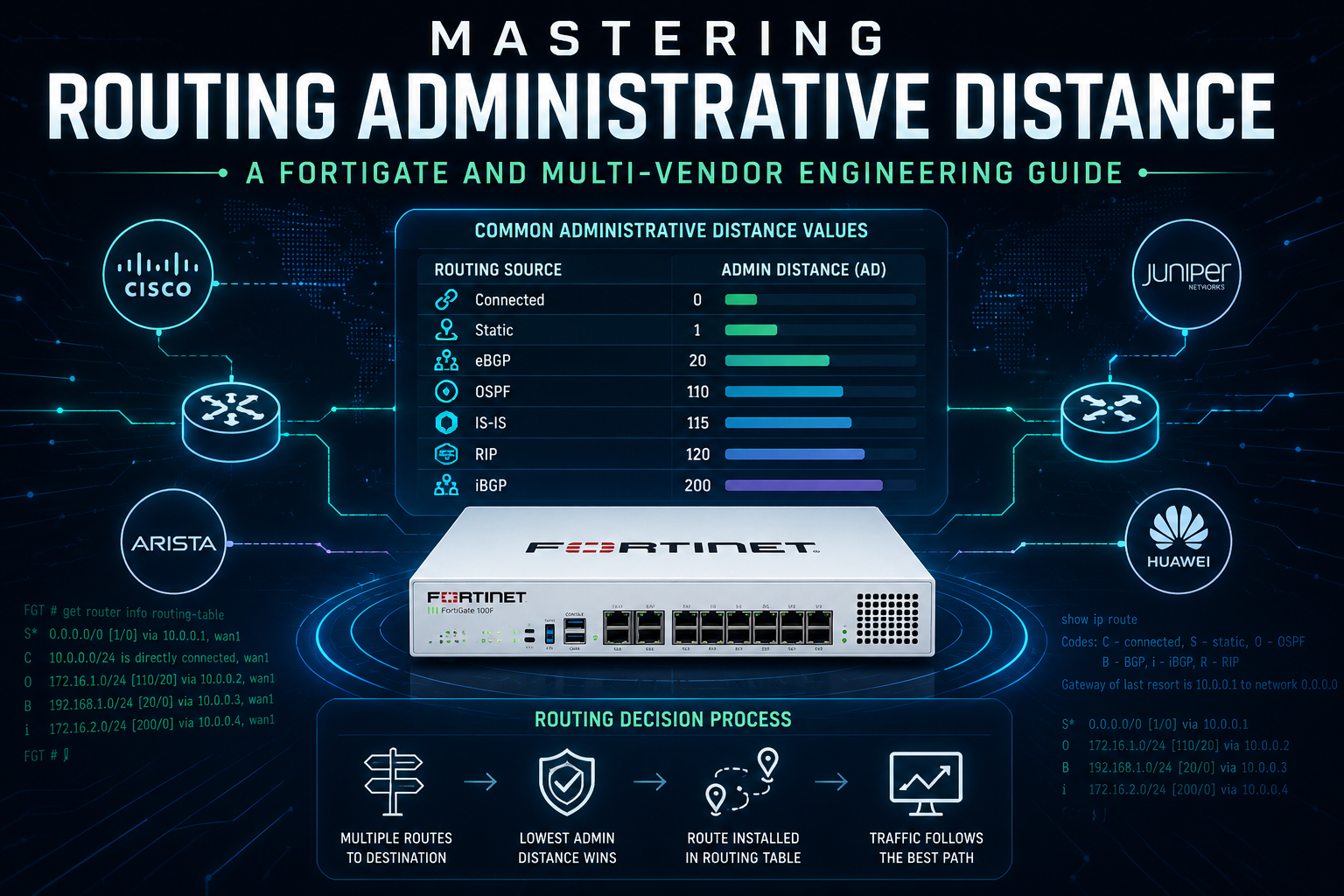
Mastering Routing Administrative Distance: A FortiGate and Multi-Vendor Engineering Guide
1. Title and Executive Summary
Objective: This guide explains how administrative distance (AD) governs route selection when a router learns the same prefix from multiple sources, and shows how to read, predict, and deliberately manipulate AD on FortiGate alongside Cisco IOS/IOS-XE, Juniper Junos, and Arista EOS. It matters because AD is the single most common reason a “correct” route silently loses to a less desirable one, and getting it wrong causes blackholes, asymmetric paths, and failover that never triggers.
Target Audience: Network Engineers, Security Engineers, and SD-WAN/SE practitioners who design or troubleshoot multi-protocol routing on FortiGate and need to map that knowledge onto mixed-vendor environments.
2. Prerequisites and Architecture
Assumed Knowledge: You should understand IP routing fundamentals (longest-prefix match, the difference between control plane and FIB), the basic operation of static routing, OSPF, and BGP, and be comfortable in a device CLI. Familiarity with FortiOS config mode and get router info routing-table output is assumed.
Environment / Lab Requirements:
– FortiGate running FortiOS 7.2, 7.4, 7.6, or 8.0 (lab values in this guide reference 7.4/7.6 behavior; one important redistribution change in 7.4.8 is called out in Section 5).
– Optional comparison nodes: any Cisco IOS-XE router, Juniper vMX/vSRX, and Arista cEOS/vEOS.
– A virtual lab such as EVE-NG, Proxmox, or GNS3 with at least two routing peers so the same prefix can be learned two ways.
– No special licensing is required. AD manipulation is part of base routing on all four platforms.
Component Table:
| Component | Role | Example Address |
| FGT-EDGE | FortiGate under test; learns the same prefix via static, OSPF, and BGP | mgmt 10.0.0.1/24 |
| R-OSPF | Upstream router advertising 10.50.0.0/16 into OSPF area 0 | 10.10.10.2 |
| R-BGP | eBGP peer advertising 10.50.0.0/16 | 10.20.20.2 |
| TARGET-NET | The contested prefix learned from multiple sources | 10.50.0.0/16 |
The architectural premise throughout is deliberately simple: one destination prefix (TARGET-NET) is reachable through more than one protocol, and AD decides which copy is installed into the routing table and pushed to the FIB.
3. Core Concept: What Administrative Distance Actually Decides
Administrative distance is a per-route-source trustworthiness value. When a router has two or more candidate routes to the same destination prefix with the same prefix length, it does not compare their internal metrics against each other, because those metrics are not comparable across protocols (an OSPF cost of 10 means nothing to BGP). Instead the router first picks the source it trusts most, and lowest AD wins. Only after AD is decided does the protocol-internal metric (OSPF cost, BGP best-path attributes, RIP hop count) act as a tiebreaker among routes from that same winning source.
Two points that trip people up:
1. AD is strictly local to the device. It is never advertised to a neighbor and never travels in a routing update. Changing AD on one router has zero effect on any other router’s table.
2. Longest-prefix match happens first. A /24 from a “worse” protocol still beats a /16 from a “better” one, because specificity is evaluated before AD. AD only breaks ties between equal-length prefixes.
Default Administrative Distance Reference
| Route Source | FortiGate | Cisco IOS/XE | Juniper Junos | Arista EOS |
| Connected | 0 | 0 | 0 (direct) | 0 |
| Static | 10 | 1 | 5 | 1 |
| DHCP default | 5 | 254 (varies) | n/a | n/a |
| eBGP | 20 | 20 | 170 | 20 |
| Internal EIGRP | n/a | 90 | n/a | n/a |
| OSPF (all) | 110 | 110 | 10 int / 150 ext | 110 |
| IS-IS | 115 | 115 | 15 / 160 | 115 |
| RIP | 120 | 120 | 100 | 120 |
| External EIGRP | n/a | 170 | n/a | n/a |
| iBGP | 200 | 200 | 170 | 200 |
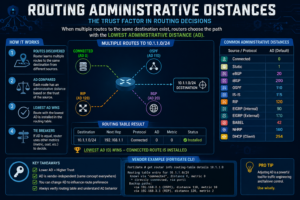
The Junos column is the one that surprises people: Junos calls this value “route preference,” uses a different scale, and notably ranks OSPF internal (10) above eBGP (170), which is the opposite of the Cisco/Fortinet/Arista convention. This is the single most important cross-vendor gotcha in the entire topic and is expanded in Section 5.
A second FortiGate-specific subtlety: a static default route learned dynamically through DHCP on the WAN interface is installed with AD 5, lower than a manually configured static route at AD 10. A manually written static default also defaults to AD 10, not 1 as on Cisco.
4. Step-by-Step Implementation Workflow
Phase 1: Establish the Baseline and Read the Table
The Goal: Confirm which route is currently winning and why, before changing anything.
The Action: Learn TARGET-NET via two sources, then inspect both the active routing table (RIB best paths) and the routing database (all candidates, including the losers).
The Code/CLI (FortiGate):
# Active routing table: only the installed best routes
get router info routing-table all
# Routing database: every candidate, including inactive ones
get router info routing-table database
# Narrow to the contested prefix
get router info routing-table details 10.50.0.0/16
In the database output, the leading character tells you the verdict. An entry marked with * is a candidate; > marks the selected best route that is installed. An inactive candidate carries neither and is your evidence that AD knocked it out. The bracket pair [110/10] reads as [administrative-distance/metric], so [110/10] is an OSPF route (AD 110, cost 10) and [20/0] is an eBGP route (AD 20).
GUI Verification: Navigate to Dashboard > Network > Static and Dynamic Routing, expand the widget, and locate 10.50.0.0/16. The routing monitor shows the installed route only; to see losing candidates you must use the CLI database command above.
Cross-vendor equivalents:
# Cisco IOS-XE
show ip route 10.50.0.0
show ip route! AD shown as the first number in [AD/metric]
# Juniper Junos (note: “preference” not “distance”)
show route 10.50.0.0/16 detail
show route 10.50.0.0/16 active-path
# Arista EOS
show ip route 10.50.0.0/16
show ip route detail
Phase 2: Change the Trust Ordering with a Per-Protocol Distance
The Goal: Make a normally losing protocol win globally, for every prefix it carries, by lowering its AD beneath the competitor.
The Action: Adjust the protocol-wide distance. Use this when the intent is policy-level (“OSPF should always be preferred over eBGP on this device”).
The Code/CLI (FortiGate), OSPF distance:
config router ospf
set distance 90
end
Setting OSPF distance to 90 makes every OSPF route (AD 90) beat eBGP (AD 20)? No. 90 is still higher than 20, so eBGP still wins. To make OSPF beat eBGP you must set OSPF below 20, or raise eBGP above 110. The realistic and safer move is to adjust the BGP side per-prefix (Phase 3) rather than dropping OSPF system-wide beneath 20, which would also pull it under static routes and connected-adjacent behavior in ways you rarely want.
The Code/CLI (FortiGate), BGP distances:
config router bgp
set distance-external 20
set distance-internal 200
set distance-local 200
end
distance-external controls eBGP, distance-internal controls iBGP, and distance-local controls locally originated routes. Raising distance-external above 110 is the clean way to let OSPF win over eBGP device-wide.
Cross-vendor equivalents:
! Cisco IOS-XE: protocol-wide
router ospf 1
distance 90
router bgp 65000
distance bgp 20 200 200! external internal local
# Juniper Junos: per-protocol preference
set protocols ospf preference 90
set protocols bgp preference 170
# Arista EOS
router ospf 1
distance ospf intra-area 90 inter-area 90 external 90
router bgp 65000
distance bgp 20 200 200
Phase 3: Surgical Per-Prefix AD (the Floating Static and BGP Prefix Distance)
The Goal: Influence one specific prefix without disturbing the rest of the protocol, which is what real designs need most often.
The Action (floating static route): A floating static is a static route configured with an AD high enough that it stays dormant while a dynamic route exists, and only installs when that dynamic route disappears. It is the backbone of static backup-path and primary/backup WAN design.
The Code/CLI (FortiGate floating static):
config router static
edit 0
set dst 10.50.0.0 255.255.0.0
set gateway 10.20.20.2
set device "wan2"
set distance 130
next
end
Here the static route for 10.50.0.0/16 has AD 130, above OSPF’s 110. While OSPF advertises the prefix, OSPF wins and the static sits inactive in the database. If OSPF withdraws the route, the static (130) becomes the best remaining candidate and installs, restoring reachability over wan2.
The Action (per-prefix BGP distance): To change AD for specific BGP-learned prefixes only, FortiGate uses an access-list plus config distance inside the BGP block.
The Code/CLI (FortiGate per-prefix BGP AD):
config router access-list
edit "match-default"
config rule
edit 1
set prefix 0.0.0.0 0.0.0.0
set exact-match enable
next
end
next
end
config router bgp
config distance
edit 1
set distance 130
set prefix 0.0.0.0 0.0.0.0
set access-list "match-default"
next
end
end
This raises only the default route’s eBGP distance to 130 so OSPF (110) wins for 0.0.0.0/0, while all other eBGP prefixes keep their normal AD of 20. This is the canonical Fortinet pattern for “prefer the OSPF default but keep specific routes via eBGP.”
Cross-vendor equivalents:
! Cisco IOS-XE floating static (AD 130)
ip route 10.50.0.0 255.255.0.0 10.20.20.2 130
# Juniper Junos qualified-next-hop with preference
set routing-options static route 10.50.0.0/16 next-hop 10.20.20.2
set routing-options static route 10.50.0.0/16 preference 130
# Arista EOS floating static
ip route 10.50.0.0/16 10.20.20.2 130
5. Verification and Validation
The Goal: Prove the route you intended actually installed, and that the backup activates on failure.
Step 1: Confirm the active selection. On FortiGate:
get router info routing-table 10.50.0.0/16
Success looks like the route you intended carrying the expected [AD/metric] bracket. If you raised eBGP to 130 for the default and expected OSPF to win, the installed 0.0.0.0/0 should read [110/...], not [20/0].
Step 2: Inspect the database to see the loser sitting inactive.
get router info routing-table database 10.50.0.0/16
The winning route shows > and the displaced candidate appears without it. Seeing both confirms AD did the arbitration rather than one route simply never being learned.
Step 3: Validate the floating static failover. Administratively remove or fail the dynamic source (shut the OSPF adjacency interface or clear the neighbor), then re-run the routing-table command. Success is the AD-130 static now appearing as installed over wan2. Restore the dynamic source and confirm the static returns to dormant.
Step 4: Confirm the FIB matches the RIB. A route can be best in the RIB yet absent from the kernel FIB if the next hop is unresolved.
get router info kernel | grep 10.50
diagnose ip route list | grep 10.50
Cross-vendor success checks:
! Cisco
show ip route 10.50.0.0
show ip cef 10.50.0.0! FIB confirmation
# Juniper
show route 10.50.0.0/16 active-path
show route forwarding-table destination 10.50.0.0/16
# Arista
show ip route 10.50.0.0/16
show ip route 10.50.0.0/16 detail
6. Troubleshooting and Gotchas
Gotcha 1: AD never breaks ties between routes from the same protocol. If the same prefix is learned from two BGP neighbors, lowering or raising “the BGP distance” will not pick the winner between them, because that contest is decided inside BGP best-path selection (weight, local-pref, AS-path, MED, and so on) before AD is ever consulted. AD only arbitrates between different protocols. Diagnose with get router info bgp network 10.50.0.0/16 on FortiGate (or show ip bgp 10.50.0.0/16) and look at the best-path reasons, not the AD value. Resolution: manipulate BGP attributes for intra-BGP selection; reserve AD changes for inter-protocol contests.
Gotcha 2: Junos preference inverts the eBGP-versus-OSPF outcome. An engineer who internalized the Cisco/Fortinet world expects eBGP (20) to beat OSPF (110). On Junos the defaults are OSPF internal 10 and BGP 170, so OSPF wins by default, the exact opposite result for the identical topology. Diagnose with show route 10.50.0.0/16 detail and read the line reporting the preference value. Resolution: do not assume parity across vendors; set explicit preference values on Junos when migrating designs from a Cisco or Fortinet reference, and document the intended winner per prefix rather than relying on defaults.
Gotcha 3 (FortiOS version-specific): redistributed-route AD behavior changed in 7.4.8. When an OSPF route is redistributed into BGP and the same prefix is also learned via eBGP, older FortiOS (7.4.7 and earlier, 7.6.2 and earlier) used BGP weight during the comparison, which could leave the redistributed (OSPF-origin) copy installed even after the eBGP path recovered, because the locally injected route carried a high default weight. In FortiOS 7.4.8 and later the logic was changed to use the administrative distance of the original parent protocol before BGP weight, specifically to prevent a loop between the BGP and NSM processes. A follow-on defect in the first builds (7.4.8 and 7.6.3) miscalculated redistributed AD when a route-map was applied, and that was fixed in 7.4.9 and 7.6.4. Resolution: if you see a redistributed route stubbornly winning after the native path recovers, check the FortiOS version first; on 7.4.7-and-earlier the documented workaround is to raise BGP weight on the native route above the redistributed default (32768), while on 7.4.9/7.6.4 and later the parent-AD logic handles it without the workaround.
Bonus gotcha: changing AD to zero is dangerous. Setting any route source’s AD to 0 makes the router treat it as a directly connected route, which can mask connectivity failures and create silent blackholes because the device assumes the destination is on-link. Never set AD to 0 to “force” a preference; use 1 or any small non-zero value instead.
Recent posts
-

-

DNS is one of those technologies that quietly underpins... Full Story
-

BGP issues on FortiGate firewalls usually trace back to... Full Story
-

Every time your laptop talks to your router, a... Full Story
-

If you've spent any time configuring NAT on a... Full Story
-

If you have spent any time configuring firewall policies... Full Story
-

High availability on FortiGate is one of those features... Full Story
-

If you've configured SD-WAN on a FortiGate, you've almost... Full Story
-

FortiLink is the management protocol that turns a FortiSwitch... Full Story
-

FortiSwitches are pretty rock solid from Mean Time Between... Full Story
-

This is a quicky tip. Have you ever gone... Full Story
-

DNS is one of those quiet pieces of internet... Full Story
-

This article is an updated version of the previous... Full Story
-

You will add ns2 as a secondary (slave) BIND9... Full Story
-

In the process of deploying my lab, I needed... Full Story
-

RFC 8805, used to be known as Self-Correcting IP... Full Story
-

Years back, I wrote an article about certificate pinning. ... Full Story
-

FortiGates have the ability to send alerts to Microsoft... Full Story
-

In this post, I am going to walk through... Full Story
-

Troubleshooting VoIP on a FortiGate can feel like trying... Full Story
-

Prior to FortiOS 7.0, there were three commands to... Full Story
-

In this post, I am going to go over... Full Story
-

What we are going to do: We are going... Full Story
-

Choosing between FGCP (FortiGate Clustering Protocol) and FGSP (FortiGate... Full Story
-

Creating a VLAN on macOS (The "Pro" Move) A... Full Story
-

This blog post explores the logic behind how macOS... Full Story
-

Pretty Fly for a Wi-Fi Tell My Wi-Fi Love... Full Story
-

Part of my daily gig is creating BoMs (Bill-of-Materials)... Full Story
-

ICMP introduces several security risks, but careful filtering, rate... Full Story
-

The command diag debug application dhcps -1 enables full... Full Story
-

In the world of FortiOS, execute tac report is... Full Story
-

LLDP; What is it The Link Layer Discovery Protocol... Full Story
-

What it actually does When you run diagnose fdsm... Full Story
-

Monkey Bites are bite-sized, high-impact security insights designed for... Full Story
-

I have run macOS in macOS with Parallels but... Full Story
-

Don't be confused with my other FortiNAC posts where... Full Story
-

This is the third session in a multi-part article... Full Story
-

Today I was configuring key-based authentication on a FortiGate... Full Story
-

Netcat, often called the "Swiss Army knife" of networking,... Full Story
-

At its core, IEEE 802.1X is a network layer... Full Story
-

In case you did not see the previous FortiNAC... Full Story
-

This is our 5th session where we are going... Full Story
-

Now that we have Wireshark installed and somewhat configured,... Full Story
-

The Philosophy of Packet Analysis Troubleshooting isn't about looking... Full Story
-

InfoSecMonkey Threat Response October 24, 2026 | No fluff.... Full Story
-

InfoSecMonkey Threat Response October 24, 2026 | No fluff.... Full Story
-

Plus what you actually get with FortiCare Essential, Premium... Full Story