
If you've spent any time configuring user authentication on... Full Story
By Manny Fernandez
May 23, 2026
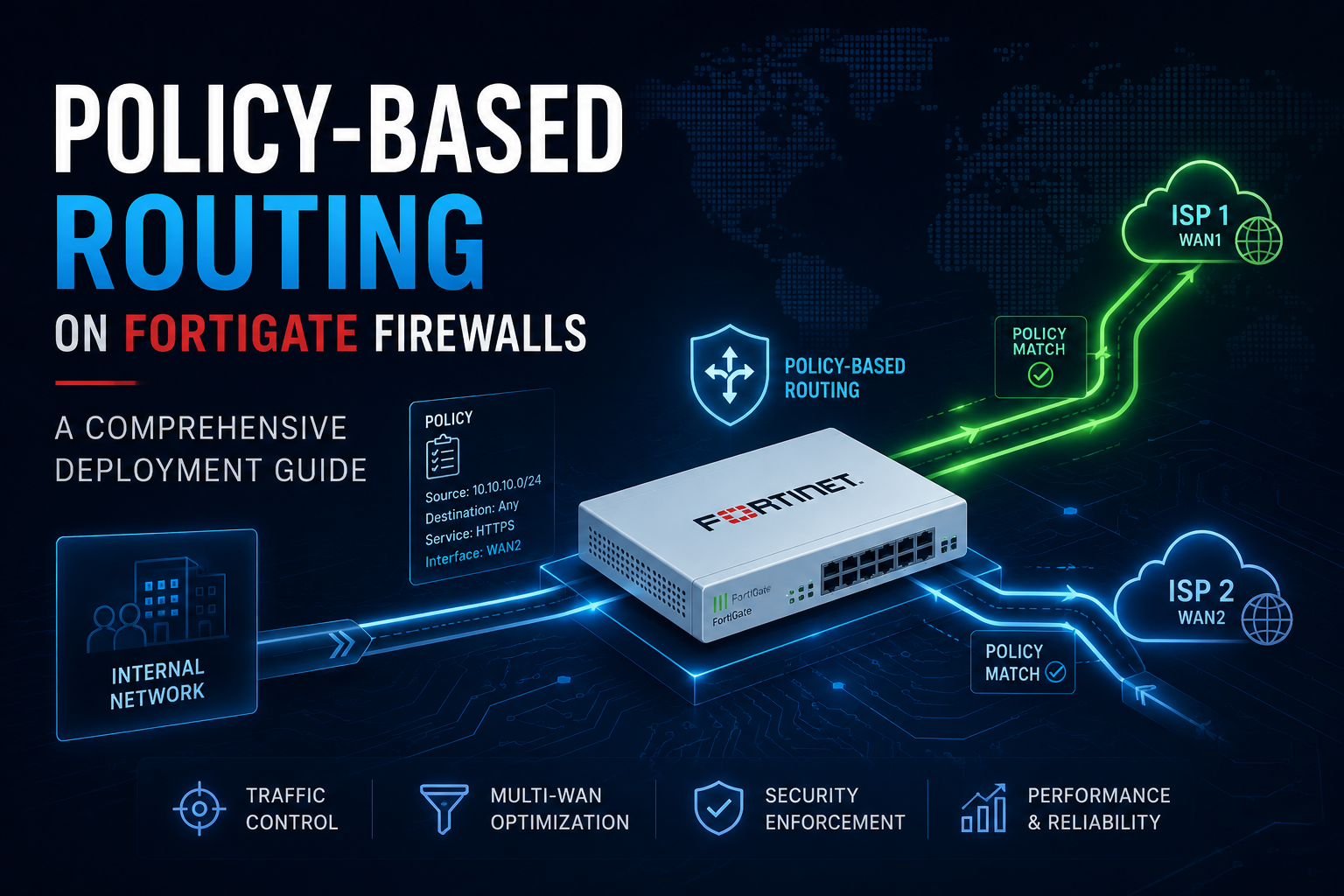
Policy-Based Routing on FortiGate Firewalls – A Comprehensive Deployment Guide
1. Introduction
Policy-based routing, or PBR, lets a FortiGate make forwarding decisions on attributes other than the destination address. Traditional destination-based routing answers a single question: where does the packet need to go? PBR answers a broader one: given everything we know about this packet, which path should carry it? That difference is what makes PBR essential in modern networks that run multiple WAN links, segment traffic between security tiers, or need to steer specific applications across specific transports.
1.1 What this guide covers
This document is a working deployment reference. It walks through the design decisions, configuration steps, validation tests, and operational practices needed to deploy PBR successfully on a FortiGate. It assumes the reader is comfortable with FortiOS basics: interfaces, zones, firewall policies, static routes, and the CLI.
1.2 When PBR is the right tool
PBR is the right tool when destination-based routing alone cannot express the forwarding intent. Common situations include:
- Sending guest or IoT traffic through a secondary ISP while corporate traffic uses the primary.
- Forcing a specific application (for example, VoIP) onto an MPLS circuit while general internet traffic uses broadband.
- Routing traffic to an external security service such as a web proxy, sandbox, or SD-WAN orchestrator based on source subnet.
- Maintaining symmetric return paths in dual-ISP designs where asymmetric routing would otherwise break stateful inspection.
- Diverting matched traffic into an IPsec or SSL VPN tunnel that has no specific destination route.
1.3 PBR versus SD-WAN rules
FortiOS includes an SD-WAN engine with its own rule construct. SD-WAN rules are themselves a form of policy-based routing, but they are evaluated after classic PBR and include health-check awareness, link quality SLAs, and dynamic failover. Choose SD-WAN rules when the goal is intelligent path selection across measured links. Choose classic PBR when the goal is deterministic forwarding based on packet attributes, or when the egress is not a member of an SD-WAN zone.
Decision rule: If the egress interface is a member of an SD-WAN zone, prefer SD-WAN rules. If it is not, or if the requirement is strict static steering, use classic PBR.
2. How Policy-Based Routing Works on FortiOS
2.1 The FortiGate routing lookup order
FortiOS evaluates routing decisions in a fixed order. Understanding this order is the single most important prerequisite for predictable PBR behavior.
| # | Lookup stage | Behavior |
|---|---|---|
| 1 | Policy routes |
Matched first. If a PBR rule matches, its action (forward to gateway out interface, stop policy routing, or deny) decides the next step. If “stop policy routing” is selected, evaluation falls through to the routing table. |
| 2 | SD-WAN rules |
Evaluated next when the candidate egress belongs to an SD-WAN zone. Service rules use measured SLA and member preferences. |
| 3 | FIB (routing table) |
Standard longest-prefix match across static, connected, and dynamic routes. Used when no policy or SD-WAN rule matches. |
| 4 | Reverse path forwarding |
An RPF check runs against the incoming packet. Strict or loose mode determines whether the source must match a route. |
2.2 Match criteria
A FortiOS policy route can match on any combination of the following attributes. All non-blank fields are ANDed together, so a rule fires only when every populated field matches.
- Incoming interface (single interface or zone)
- Source address (
IPv4/IPv6, range, or named address object) - Destination address (
IPv4/IPv6, range, or named address object) - Protocol (
TCP,UDP,ICMP, or numericIPprotocol) - Source port range and destination port range
- Type of Service (
ToS) value andToSmask - Internet service database (
ISDB) entries (FortiOS 6.4and later, when “Advanced” is enabled)
2.3 Actions
Each policy route specifies one of three actions:
Forward Trafficsets a specific outgoing interface and gateway. This is the most common action and the one used for nearly every steering use case.Stop Policy Routingexempts the matching traffic from PBR and lets the standard FIB decide the path. Use this to carve out exceptions above a broader rule.Deny(introduced inFortiOS 7.0) drops the packet at the routing layer. This is rare and should normally be handled by a firewall policy instead.
2.4 Rule ordering and the implicit fall-through
Policy routes are evaluated top to bottom. The first match wins, and evaluation stops there. There is no implicit deny at the end of the policy route list. Traffic that matches no rule simply falls through to the routing table. Order matters: place the most specific rules first and broad catch-alls last.
2.5 Interaction with firewall policy and NAT
PBR runs before firewall policy and before NAT. A policy route changes only the chosen egress interface and next hop. The packet still has to satisfy a firewall policy from its incoming interface to the new outgoing interface, and any required NAT must still be configured. A common deployment failure is creating a policy route to a new WAN circuit without also creating a firewall policy from the LAN to that WAN, which produces silent drops.
Common pitfall: After every new PBR rule, verify that a matching firewall policy exists from the source interface to the new outgoing interface, and that source NAT is enabled if the egress is internet-facing.
3. Pre-Deployment Planning
3.1 Document the intent
Before opening the FortiGate GUI, write down what the traffic should do. A useful intent statement names the source, the destination or application, the desired path, and the reason. For example: “All traffic from the 10.20.0.0/16 guest VLAN destined for the internet should egress wan2 to ISP-B, because corporate compliance prohibits guest traffic from sharing the ISP-A circuit used by the cardholder data environment.” Vague intent produces vague rules.
3.2 Inventory the relevant attributes
Collect the following before configuration:
| Attribute | What to confirm |
|---|---|
Incoming interface(s) |
Names and any zone memberships. PBR can match a zone if the interface is in one. |
Source identifiers |
Subnets, host ranges, or named address objects that uniquely identify the traffic. |
Destination identifiers |
Specific subnets, host ranges, FQDNs (resolved at policy load), or ISDB entries. |
Egress interface |
Physical port, aggregate, VLAN, tunnel interface, or loopback. Confirm it is up and reachable. |
Next-hop gateway |
Layer 3 next hop on the chosen egress. Must be in the same subnet as the egress interface. |
Failure behavior |
What should happen if the egress fails: fall back to the routing table, or hold and drop? |
3.3 Choose a failover strategy
Classic PBR is static. If the next hop becomes unreachable, the rule keeps matching and traffic blackholes unless a recovery mechanism is in place. The three options are:
- Enable link health monitoring on the egress interface. When the monitor fails, the static route to the next hop is withdrawn and PBR can be configured to fall through.
- Use the “stop policy routing” action on a higher-priority rule tied to a health check, so failure causes the FIB to take over.
- Migrate the steering decision to SD-WAN, which has native health checks and SLA tracking.
For anything more complex than a single static path with no failover requirement, option 3 is usually the right answer. Classic PBR remains the better fit for deterministic, non-dynamic steering.
3.4 Plan symmetric return
Stateful firewalls require return traffic to enter through the same FortiGate that saw the outbound packet. PBR that sends outbound traffic out wan2 without a matching return path will break sessions. Common return-path techniques include source NAT on the egress (the most reliable choice for internet egress), VRRP or static routes on upstream devices, and route redistribution into a shared IGP.
3.5 Address objects and naming
Use named address objects rather than literal subnets in policy routes. Renaming or renumbering later is significantly easier when the rule references GUEST_VLAN_NET than when it references 10.20.0.0/16 in three different places. Adopt a naming convention that includes scope and purpose, for example PBR_SRC_GUEST_VLAN or PBR_DST_VOIP_PEERS.
4. Deployment via the GUI
The FortiOS GUI exposes policy routes at Network > Policy Routes. The workflow below covers a representative use case: steering guest VLAN internet traffic out a secondary ISP.
4.1 Verify prerequisites
- Confirm both WAN interfaces are up. Navigate to
Network>Interfacesand check that wan1 and wan2 show green status. - Confirm the routing table has a default route via each WAN. Navigate to
Dashboard>Network>Static and Dynamic Routing, or runget router info routing-table all. - Confirm a firewall policy exists from the guest VLAN to wan2 with NAT enabled. If not, create one at
Policy and Objects>Firewall Policybefore continuing.
4.2 Create address objects
- Go to
Policy and Objects>Addresses. - Click
Create New>Address. - Name it
PBR_SRC_GUEST_VLAN. Set Type to Subnet, Subnet/IP Range to10.20.0.0/16, and Interface to the guest VLAN interface. - Save.
4.3 Create the policy route
- Go to
Network>Policy Routes. - Click
Create New. - Configure the fields shown below.
| Field | Value |
|---|---|
Incoming interface |
vlan-guest (the guest VLAN interface) |
Source address / mask |
PBR_SRC_GUEST_VLAN |
Destination address / mask |
all (0.0.0.0/0) |
Protocol |
Any |
Type of Service |
Leave blank |
Action |
Forward Traffic |
Outgoing interface |
wan2 |
Gateway address |
203.0.113.1 (next hop on ISP-B) |
Comments |
Steer guest VLAN to ISP-B per security policy |
Status |
Enabled |
- Click
OKto save.
4.4 Order the rule
New policy routes are appended to the bottom of the list. If more specific rules need to sit above this one, drag the new rule into the correct position. Remember the first-match rule and place exceptions above broader catch-alls.
4.5 Initial test
From a client on the guest VLAN, browse to a service that reports your public IP, such as a what-is-my-IP page. The reported address should match the ISP-B public range. On the FortiGate, navigate to Network > Diagnostics > Packet Capture or use the CLI sniffer (covered in section 7) to confirm packets are leaving via wan2.
5. Deployment via the CLI
The CLI is the preferred interface for repeatable deployments, scripted rollouts, and any environment under change control. Every GUI action maps to a config router policy entry.
5.1 Basic syntax
All policy route configuration lives under config router policy. Each entry has a numeric ID that determines its position in the evaluation order. Lower IDs evaluate first.
config router policy
    edit 1
        set input-device "vlan-guest"
        set src "10.20.0.0/255.255.0.0"
        set dst "0.0.0.0/0.0.0.0"
        set protocol 0
        set action permit
        set output-device "wan2"
        set gateway 203.0.113.1
        set comments "Steer guest VLAN to ISP-B"
    next
end
5.2 Using named address objects
To reference firewall address objects instead of literal subnets, use the srcaddr and dstaddr fields. Note that these are mutually exclusive with src and dst on the same entry.
config router policy
    edit 2
        set input-device "vlan-guest"
        set srcaddr "PBR_SRC_GUEST_VLAN"
        set dstaddr "all"
        set action permit
        set output-device "wan2"
        set gateway 203.0.113.1
    next
end
5.3 Matching by protocol and port
To steer only VoIP signaling (SIP on UDP 5060) from the voice subnet to the MPLS link:
config router policy
    edit 10
        set input-device "vlan-voice"
        set srcaddr "VOICE_NET"
        set dstaddr "all"
        set protocol 17
        set start-port 5060
        set end-port 5060
        set action permit
        set output-device "mpls.100"
        set gateway 10.99.0.1
    next
end
Protocol numbers follow IANA: 1 is ICMP, 6 is TCP, 17 is UDP. Setting protocol to 0 means any.
5.4 The “stop policy routing” carve-out
Suppose the guest VLAN must use ISP-B for general internet but must reach an internal partner subnet over the corporate path. Place a higher-priority rule that stops policy routing for partner traffic, so the FIB decides:
config router policy
    edit 1
        set input-device "vlan-guest"
        set srcaddr "PBR_SRC_GUEST_VLAN"
        set dstaddr "PARTNER_SUBNETS"
        set action stop-policy-routing
    next
    edit 2
        set input-device "vlan-guest"
        set srcaddr "PBR_SRC_GUEST_VLAN"
        set dstaddr "all"
        set action permit
        set output-device "wan2"
        set gateway 203.0.113.1
    next
end
5.5 Reordering rules
FortiOS evaluates policy routes by sequence number, not by entry ID. To change the order, use move:
config router policy
    move 10 before 5
end
5.6 Disabling without deleting
Use status to toggle a rule off during testing or maintenance. The rule remains in configuration but is skipped during evaluation.
config router policy
    edit 2
        set status disable
    next
end
6. Advanced Scenarios
6.1 Dual-ISP with source-based steering
A common SMB design has two ISPs, each with its own default route. Without PBR, only one default route is active at a time (the lower-distance one) and all internet traffic uses it. PBR lets specific source subnets prefer the other circuit:
- Corporate subnet
10.10.0.0/16prefers wan1 (low-latency fiber). - Guest subnet
10.20.0.0/16prefers wan2 (commodity broadband). - Both defaults remain installed; PBR overrides only the matching flows.
Configure two policy routes, one per source, each pointing to its preferred WAN and gateway. Confirm that firewall policies exist from each source interface to each WAN with NAT enabled.
6.2 Application steering via Internet Service Database
FortiOS can match traffic by application using the ISDB. This is useful for sending SaaS traffic (for example, Microsoft 365 or Zoom) out a specific link without maintaining manual IP lists.
config router policy
    edit 20
        set input-device "port1"
        set srcaddr "all"
        set internet-service-id 327681
        set action permit
        set output-device "wan-saas"
        set gateway 198.51.100.1
    next
end
The internet-service-id values are discoverable with diagnose internet-service id list. ISDB entries auto-update via FortiGuard, which removes the maintenance burden of tracking provider IP changes.
6.3 Steering into a VPN tunnel
Policy routes can steer traffic into an IPsec or SSL VPN tunnel by setting the tunnel interface as the output device. This is the standard pattern for forcing a specific source range through a third-party security service or a cloud proxy:
config router policy
    edit 30
        set input-device "port1"
        set srcaddr "HIGH_RISK_USERS"
        set dstaddr "all"
        set action permit
        set output-device "to-cloud-proxy"
    next
end
Tunnel egress does not require a gateway IP because the tunnel itself defines the next hop. If the tunnel is down, the PBR rule still matches and traffic is dropped unless a stop-policy-routing fallback is in place.
6.4 Per-VDOM PBR
On multi-VDOM systems, policy routes are scoped to the VDOM they are configured in. Each VDOM maintains its own router policy table. Cross-VDOM steering is achieved by combining PBR with inter-VDOM links and per-VDOM firewall policies.
6.5 IPv6 policy routes
IPv6 PBR is configured under config router policy6 and supports the same match and action semantics as IPv4. The src and dst fields take IPv6 prefixes. Dual-stack deployments require parallel IPv4 and IPv6 rules; FortiOS does not synthesize one from the other.
config router policy6
    edit 1
        set input-device "vlan-guest"
        set src "2001:db8:20::/48"
        set dst "::/0"
        set action permit
        set output-device "wan2"
        set gateway "2001:db8:b::1"
    next
end
6.6 PBR with SD-WAN coexistence
Classic PBR and SD-WAN rules can coexist. PBR evaluates first, so a matching PBR rule preempts SD-WAN logic. Use this to your advantage when a flow must follow a strict static path regardless of SLA: configure a PBR rule for that flow and let everything else fall through to SD-WAN. Avoid the reverse pattern where broad PBR rules shadow the intended SD-WAN behavior.
7. Verification and Troubleshooting
7.1 Confirm the rule is loaded
Show all policy routes and their evaluation order:
get router info routing-table policy
show router policy
7.2 Trace a specific flow
The most useful single command for PBR troubleshooting is the policy route lookup. It evaluates a hypothetical packet against the loaded rules and reports the result without sending any traffic:
diagnose firewall proute match <protocol> <src-ip> <src-port> <dst-ip> <dst-port> <input-interface>

# Example: TCP 443 from 10.20.0.50 to 198.51.100.10 entering vlan-guest
diagnose firewall proute match 6 10.20.0.50 12345 198.51.100.10 443 vlan-guest
If the command returns a match, the output names the matching policy ID and the chosen egress and gateway. If no rule matches, the output is empty and the FIB decides.
7.3 Live packet inspection
The built-in sniffer confirms what is actually happening to packets on the wire:
diagnose sniffer packet any 'host 10.20.0.50 and port 443' 4 0 a

# Decode:
#   verbose 4 shows interface direction (-> egress, <- ingress)
#   count 0 runs until Ctrl-C
#   timestamp a prints absolute time
If the egress interface in the sniffer output does not match the intended PBR egress, the rule is not firing. The most common reasons are an upstream rule taking precedence, a typo in source or destination, or the wrong incoming interface.
7.4 Session table inspection
Once a session is established, the session table records which interface carried the flow:
diagnose sys session filter src 10.20.0.50
diagnose sys session filter dst 198.51.100.10
diagnose sys session list
Look at the in and out interface lines. They confirm both the chosen egress and the return path. If the return path differs from the forward path, asymmetric routing is in play and the firewall will drop subsequent packets unless asymmetric routing is explicitly tolerated.
7.5 Common failure modes
| Symptom | Likely cause and fix |
|---|---|
| Packets still leave the original WAN | Rule ordering. A broader earlier rule is matching first, or the new rule sits below an existing default-style policy route. Move it up. |
| Traffic silently dropped after rule is added | No firewall policy exists from the source interface to the new egress interface. Create one and enable NAT if internet-bound. |
| Return traffic never arrives | Asymmetric path. Either enable source NAT on the new egress or arrange symmetric return via upstream routing. |
| Rule has no effect for some hosts | Mismatch between the source address object and the actual host IPs. Verify the object scope and any overlapping objects. |
| Egress works until link flaps, then blackholes | PBR is static. Add link health monitoring with a fall-through rule, or migrate to SD-WAN. |
| IPv6 traffic not steered | Configured policy6 missing. IPv4 rules do not match IPv6 packets. |
| ISDB rule does not match expected traffic | ISDB entries update on FortiGuard refresh. Run diagnose internet-service id summary to confirm the entry is present and current. |
7.6 Debugging at the daemon level
For deep troubleshooting, enable the routing debug. Disable when finished, as the output volume is significant:
diagnose debug enable
diagnose debug flow filter saddr 10.20.0.50
diagnose debug flow trace start 50

# When finished
diagnose debug flow trace stop
diagnose debug disable
The flow trace shows every decision FortiOS makes about a packet, including the policy route lookup outcome, firewall policy match, NAT translation, and final egress. Lines containing “PBR” or “policy route” identify the relevant step.
8. Operational Considerations
8.1 Change control
PBR rules can affect large swaths of traffic with a single line change. Treat additions and modifications as production changes. Keep a backup of the configuration before each change and document the intent, the rule ID, and the expected before/after behavior.
8.2 Performance impact
PBR adds a lookup to every packet that enters the FortiGate. On current FortiGate platforms with NP6, NP7, and CP9 ASICs, the cost is negligible for any reasonable rule count. The main practical limit is rule maintainability: above roughly 50 rules, troubleshooting becomes painful regardless of the platform. Consolidate where possible by grouping sources into address groups or by moving repetitive logic into SD-WAN.
8.3 High availability
In HA clusters, policy route configuration synchronizes between members like any other configuration object. No additional action is needed for failover. After failover, sessions resume on the new primary and continue to honor the same PBR rules. Verify that both members can reach the configured next hops; a next hop reachable only from the original primary will cause failover-time blackholing.
8.4 Backup and rollback
Before each significant change:
- Take a configuration backup from
System>Configuration>Backupor withexecute backup config. - Note the current sequence numbers of any rules being touched.
- Stage the change during a maintenance window if it affects production flows.
- Verify post-change with the diagnostic commands in section 7 before declaring success.
8.5 Logging
Policy routes themselves do not log forwarding decisions. To get visibility, ensure the corresponding firewall policy has logging enabled (Log Allowed Traffic > All Sessions). The session log will then record the egress interface, which makes it possible to confirm PBR behavior across large traffic volumes via FortiAnalyzer or a SIEM.
8.6 Documentation
Maintain a running document, separate from the FortiGate itself, that lists every active policy route, its intent, its match criteria, its action, the owner, and the date it was last reviewed. The FortiGate comments field is useful but limited and is easy to overlook. An external register is what survives staff turnover and audit reviews.
8.7 Periodic review
Policy routes accumulate. Schedule a quarterly review to:
- Confirm each rule still maps to a current business requirement.
- Remove rules whose source or destination objects are empty or unused.
- Consolidate rules that have converged on the same egress.
- Re-validate failover behavior, especially after upstream provider changes.
Appendix A: Diagnostic Command Reference
| Command | Purpose |
|---|---|
show router policy |
Display all configured policy routes. |
get router info routing-table policy |
Show loaded policy routes in evaluation order. |
get router info routing-table all |
Show the full FIB. |
diagnose firewall proute list |
List active policy routes with hit counters. |
diagnose firewall proute match ... |
Simulate a lookup against current rules. |
diagnose sniffer packet any '<filter>' 4 0 a |
Capture live packets with interface direction. |
diagnose sys session list |
Show current sessions and their interfaces. |
diagnose debug flow ... |
Trace per-packet forwarding decisions. |
execute traceroute-options device <iface> |
Force traceroute to source from a specific interface. |
execute ping-options source <ip> |
Force ping to source from a specific address. |
Appendix B: Configuration Templates
B.1 Dual-ISP source steering
config router policy
    edit 1
        set input-device "vlan-corp"
        set srcaddr "CORP_NET"
        set dstaddr "all"
        set action permit
        set output-device "wan1"
        set gateway 198.51.100.1
        set comments "Corporate to ISP-A"
    next
    edit 2
        set input-device "vlan-guest"
        set srcaddr "GUEST_NET"
        set dstaddr "all"
        set action permit
        set output-device "wan2"
        set gateway 203.0.113.1
        set comments "Guest to ISP-B"
    next
end
B.2 Application steering with ISDB carve-out
config router policy
    edit 5
        set input-device "port1"
        set srcaddr "all"
        set dstaddr "PARTNER_SUBNETS"
        set action stop-policy-routing
        set comments "Exempt partner traffic from steering"
    next
    edit 10
        set input-device "port1"
        set srcaddr "all"
        set internet-service-id 327681
        set action permit
        set output-device "wan-saas"
        set gateway 198.51.100.1
        set comments "Microsoft 365 via SaaS link"
    next
end
B.3 Steering into a VPN tunnel
config router policy
    edit 50
        set input-device "port1"
        set srcaddr "HIGH_RISK_USERS"
        set dstaddr "all"
        set action permit
        set output-device "to-cloud-proxy"
        set comments "Force high-risk users through cloud proxy"
    next
end
Appendix C: Pre-Production Checklist
- Intent statement written and approved.
- Source and destination address objects created and named consistently.
- Egress interface confirmed up and reachable.
- Next-hop gateway confirmed reachable from the FortiGate.
- Firewall policy exists from source interface to new egress.
- Source NAT enabled on egress if internet-bound.
- Failover strategy documented (link monitor, stop-policy-routing fallback, or SD-WAN).
- Symmetric return path confirmed.
- Rule sequence number chosen and confirmed not to shadow existing rules.
- Configuration backup taken.
- Diagnostic plan written:
proute matchcommand, sniffer filter, expected outcome. - Maintenance window scheduled if change affects production traffic.
- Rollback steps written: rule ID to disable or sequence to restore.
- Post-change validation completed and signed off.
Appendix D: Glossary
| Term | Definition |
|---|---|
| PBR | Policy-based routing. Forwarding decisions made on packet attributes other than destination address alone. |
| FIB | Forwarding Information Base. The routing table used for standard destination-based lookups. |
| RPF | Reverse Path Forwarding. A check that validates the source address against a route on the incoming interface. |
| SD-WAN | Software-Defined WAN. FortiOS feature that adds health checks, SLAs, and dynamic path selection on top of static routing. |
| ISDB | Internet Service Database. FortiGuard-maintained catalog of public service IP ranges used for application-aware matching. |
| VDOM | Virtual Domain. A logical partition of a FortiGate with its own configuration scope. |
| NP/CP ASIC | Network and content processors used by FortiGate for hardware-accelerated forwarding and inspection. |
Recent posts
-

-

DNS is one of those technologies that quietly underpins... Full Story
-

BGP issues on FortiGate firewalls usually trace back to... Full Story
-

Every time your laptop talks to your router, a... Full Story
-

If you've spent any time configuring NAT on a... Full Story
-

If you have spent any time configuring firewall policies... Full Story
-

High availability on FortiGate is one of those features... Full Story
-

If you've configured SD-WAN on a FortiGate, you've almost... Full Story
-

FortiLink is the management protocol that turns a FortiSwitch... Full Story
-

FortiSwitches are pretty rock solid from Mean Time Between... Full Story
-

This is a quicky tip. Have you ever gone... Full Story
-

DNS is one of those quiet pieces of internet... Full Story
-

This article is an updated version of the previous... Full Story
-

You will add ns2 as a secondary (slave) BIND9... Full Story
-

In the process of deploying my lab, I needed... Full Story
-

RFC 8805, used to be known as Self-Correcting IP... Full Story
-

Years back, I wrote an article about certificate pinning. ... Full Story
-

FortiGates have the ability to send alerts to Microsoft... Full Story
-

In this post, I am going to walk through... Full Story
-

Troubleshooting VoIP on a FortiGate can feel like trying... Full Story
-

Prior to FortiOS 7.0, there were three commands to... Full Story
-

In this post, I am going to go over... Full Story
-

What we are going to do: We are going... Full Story
-

Choosing between FGCP (FortiGate Clustering Protocol) and FGSP (FortiGate... Full Story
-

Creating a VLAN on macOS (The "Pro" Move) A... Full Story
-

This blog post explores the logic behind how macOS... Full Story
-

Pretty Fly for a Wi-Fi Tell My Wi-Fi Love... Full Story
-

Part of my daily gig is creating BoMs (Bill-of-Materials)... Full Story
-

ICMP introduces several security risks, but careful filtering, rate... Full Story
-

The command diag debug application dhcps -1 enables full... Full Story
-

In the world of FortiOS, execute tac report is... Full Story
-

LLDP; What is it The Link Layer Discovery Protocol... Full Story
-

What it actually does When you run diagnose fdsm... Full Story
-

Monkey Bites are bite-sized, high-impact security insights designed for... Full Story
-

I have run macOS in macOS with Parallels but... Full Story
-

Don't be confused with my other FortiNAC posts where... Full Story
-

This is the third session in a multi-part article... Full Story
-

Today I was configuring key-based authentication on a FortiGate... Full Story
-

Netcat, often called the "Swiss Army knife" of networking,... Full Story
-

At its core, IEEE 802.1X is a network layer... Full Story
-

In case you did not see the previous FortiNAC... Full Story
-

This is our 5th session where we are going... Full Story
-

Now that we have Wireshark installed and somewhat configured,... Full Story
-

The Philosophy of Packet Analysis Troubleshooting isn't about looking... Full Story
-

Executive Summary Objective: Get you from zero to writing... Full Story
-

NAND cells, the flash translation layer, SLC caching, TRIM,... Full Story
-

Nmap Scripting Engine (NSE): From One-Liners to Your First... Full Story