
If you've spent any time configuring user authentication on... Full Story
By Manny Fernandez
June 23, 2026
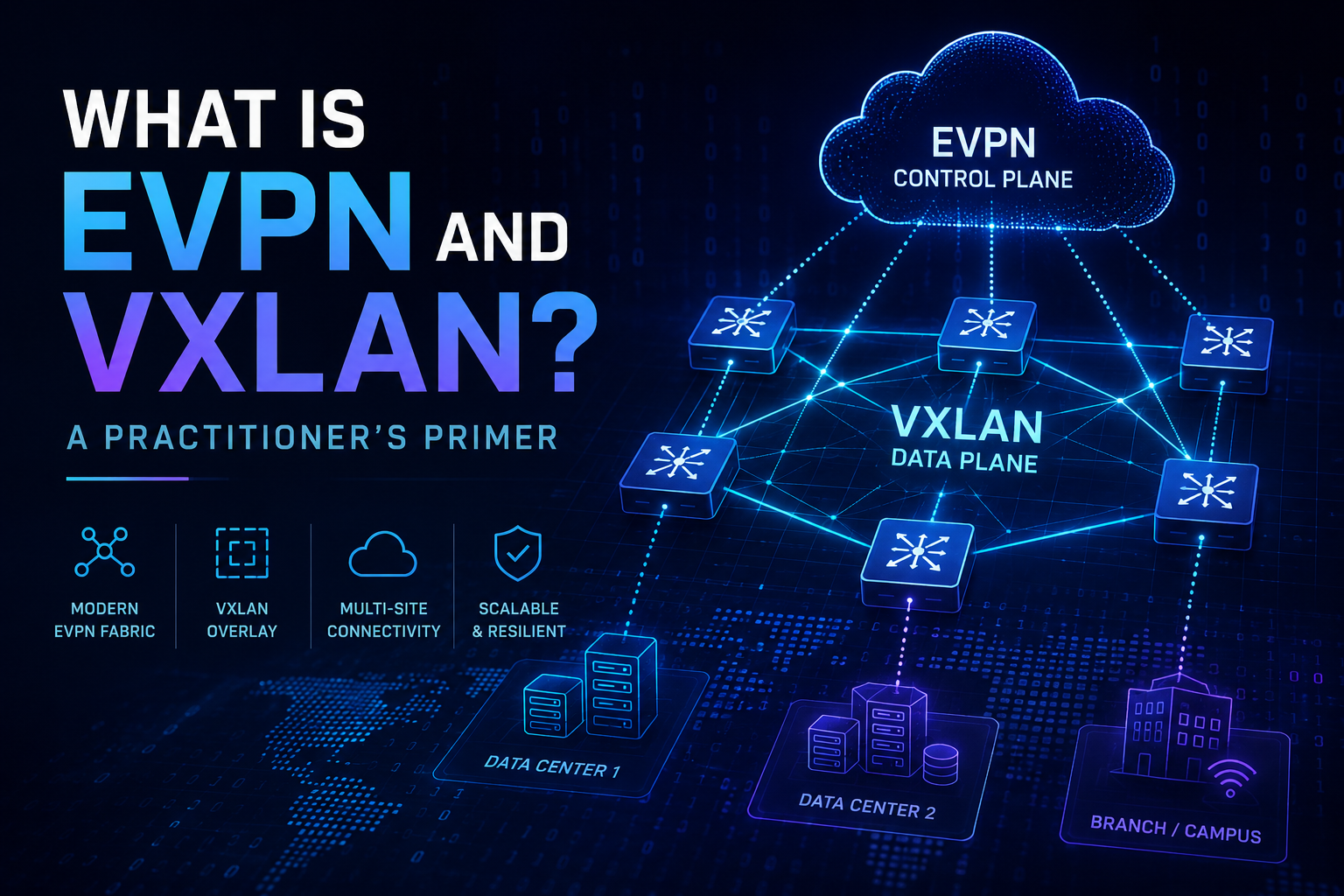
What Is EVPN and VXLAN? A Practitioner’s Primer
A vendor-neutral deep dive into the control plane and the data plane that modern overlay networks are built on.*
Why This Topic Matters
If you have spent any time around modern data center, campus, or SD-WAN architectures, you have run into the terms EVPN and VXLAN. They get thrown around together so often that people start treating them as a single thing. They are not. They are two separate technologies that solve two separate problems, and they happen to work extremely well together.
This primer breaks down what each one is, what each one is not, how they fit together, where you would actually use them, and where they fall short. The goal is simple: by the end of this, you should be able to explain to a colleague what EVPN and VXLAN do without hand-waving, and you should know enough to spot when someone is selling you a solution that does not match your problem.
Everything here is vendor-neutral. The concepts apply whether you are running gear from any major networking vendor. A follow-up post will cover a specific vendor implementation, but you need the fundamentals first.
The Core Distinction: Data Plane vs Control Plane
Before going further, internalize one idea, because it is the thing most people get wrong:
VXLAN is a data plane. EVPN is a control plane.
The data plane is how packets actually get encapsulated and moved across the network. The control plane is how devices learn about each other and decide where to send those packets. They are different jobs.
VXLAN defines the packet format and the tunneling mechanism. It is the envelope and the postal system. EVPN defines how endpoints, MAC addresses, and IP addresses are advertised and learned across the fabric. It is the address book and the routing logic that tells the postal system where everything lives.
You can run VXLAN without EVPN. You can run EVPN with transports other than VXLAN. But the combination of the two is what made overlay networking practical at scale, which is why they are almost always discussed together.
Part One: What Is VXLAN?
The Problem VXLAN Was Built to Solve
Traditional Layer 2 networks rely on VLANs to segment traffic. The VLAN ID field is 12 bits, which caps you at 4,094 usable VLANs. For a single enterprise that might be fine. For a multi-tenant cloud provider or a large data center hosting thousands of isolated segments, 4,094 is nowhere near enough.
There is a second problem. Layer 2 domains do not stretch well across a routed network. If you want the same broadcast domain to exist in two different racks, two different buildings, or two different sites, classic Layer 2 forces you to extend spanning tree and trunk VLANs everywhere. That is fragile, it wastes links, and it does not scale.
VXLAN, which stands for Virtual Extensible LAN, was designed to fix both problems.
How VXLAN Actually Works
VXLAN takes an original Layer 2 Ethernet frame and wraps it inside a UDP packet. This is called MAC-in-UDP encapsulation. The original frame becomes the payload, and a new set of headers gets added on the outside so the packet can be routed across a normal IP network.
The key pieces of a VXLAN packet are:
– The original Ethernet frame: the actual traffic from the endpoint, untouched on the inside.
– The VXLAN header: contains the VXLAN Network Identifier, or VNI.
– A UDP header: VXLAN uses UDP destination port 4789 by default.
– An outer IP header: the source and destination are the tunnel endpoints, not the original hosts.
– An outer Ethernet header: for the next hop on the underlay.
The VNI is the star of the show. It is a 24-bit field, which gives you roughly 16 million possible segments. Compare that to the 4,094 VLAN limit and you can see why this was a big deal. Each VNI represents an isolated Layer 2 segment, so you can carve up a single physical fabric into millions of logically separate networks.
VTEPs: Where the Magic Happens
The devices that perform VXLAN encapsulation and decapsulation are called VTEPs, or VXLAN Tunnel Endpoints. A VTEP can be a physical switch, a router, a firewall, or a software component running on a hypervisor.
When traffic enters the fabric, the ingress VTEP wraps it in VXLAN and ships it across the underlay IP network. The egress VTEP strips off the VXLAN headers and delivers the original frame to its destination. The endpoints have no idea any of this happened. To them it looks like a normal Layer 2 connection.
The underlay, meaning the physical IP network connecting all the VTEPs, just sees ordinary routed UDP traffic. It does not care about the original frames. This separation is what lets you build a stable, routed, loop-free underlay while still presenting flexible Layer 2 and Layer 3 services on top.
What VXLAN Is Not
This is where people get into trouble, so be clear on the limits:
– VXLAN is not a control plane. On its own, VXLAN has no mechanism to learn where MAC addresses live. The original VXLAN specification relied on flood-and-learn behavior using IP multicast in the underlay. That works, but it scales poorly and brings back many of the flooding problems you were trying to escape.
– VXLAN is not encryption. Encapsulation is not the same as protection. The payload is wrapped, not secured. If you need confidentiality, you layer something like IPsec on top. Do not assume VXLAN gives you any security.
– VXLAN is not a routing protocol. It moves frames inside tunnels. It does not decide the best path across the underlay. Your underlay still needs its own routing.
– VXLAN is not free of overhead. The added headers increase packet size by roughly 50 bytes. If you do not account for MTU, you will fragment traffic or drop it. Jumbo frames on the underlay are effectively mandatory for a healthy deployment.
That flood-and-learn limitation is exactly the gap EVPN fills.
Part Two: What Is EVPN?
The Problem EVPN Was Built to Solve
VXLAN gave us a great data plane but left the control plane weak. Flood-and-learn means that to discover where a MAC address lives, the fabric floods unknown traffic everywhere and learns from the responses. In a small network this is tolerable. In a large fabric it generates a storm of unnecessary flooding, it depends on multicast in the underlay, and it gives you no intelligent way to handle MAC mobility, redundancy, or Layer 3 integration.
EVPN, which stands for Ethernet VPN, was created to give overlay networks a real control plane.
How EVPN Works
EVPN is an extension to BGP, specifically Multiprotocol BGP. Instead of flooding to learn addresses, VTEPs use BGP to advertise the MAC and IP addresses they know about. When a VTEP learns that a host is connected to it, it tells every other VTEP through a BGP update. Now the whole fabric knows where that host lives without anyone flooding anything.
This is the conceptual leap worth pausing on. EVPN treats MAC addresses the way traditional routing treats IP prefixes. They become routes that get advertised, learned, and stored in tables. You get all the maturity, scalability, and policy control of BGP applied to Layer 2 reachability.
EVPN carries this information using structured message types called route types. You do not need to memorize all of them, but knowing the main ones helps you read the fabric:
– Type 2 (MAC/IP Advertisement): advertises a host’s MAC address and optionally its IP. This is the workhorse that replaces flood-and-learn.
– Type 3 (Inclusive Multicast): handles how broadcast, unknown unicast, and multicast traffic is distributed, setting up the paths for the traffic that does still need flooding.
– Type 5 (IP Prefix Route): advertises IP prefixes for Layer 3 routing across the fabric, enabling routing between subnets in the overlay.
There are others, including routes that handle multihoming and Ethernet segment redundancy, but those three cover the core behavior most people care about.
What EVPN Gives You That Plain VXLAN Does Not
Once you put EVPN in front of VXLAN, several capabilities appear that flood-and-learn simply cannot deliver cleanly:
– Control plane MAC learning: addresses are advertised, not flooded. This dramatically cuts unnecessary traffic.
– Reduced flooding: because VTEPs already know where MACs live, the fabric floods far less. Some implementations can even suppress ARP and ND by answering locally.
– MAC mobility: when a host moves, EVPN tracks it with a sequence number so the fabric quickly converges on the new location. This matters enormously for virtual machine and workload migration.
– Integrated routing and bridging: EVPN supports both Layer 2 bridging and Layer 3 routing in the same fabric, often described as IRB. You can bridge within a segment and route between segments using the same control plane.
– Active-active multihoming: a host or switch can connect to multiple VTEPs at once with all links forwarding, which traditional spanning tree could never do well.
What EVPN Is Not
Same discipline as before. Know the limits:
– EVPN is not a data plane. It does not move packets. It tells the data plane what to do. You still need a data plane such as VXLAN, or MPLS in service provider contexts, to actually carry traffic.
– EVPN is not tied exclusively to VXLAN. EVPN was originally defined for MPLS networks and is also used with other encapsulations. VXLAN is the most common pairing in the enterprise and data center, but it is not the only option.
– EVPN is not simple. It is BGP with extensions, route targets, route distinguishers, and address families. It brings real operational complexity. If your team is not comfortable with BGP, EVPN will be a steep climb.
– EVPN is not a fix for a bad underlay. If your physical network is unstable, EVPN will not save you. The control plane depends on a healthy, well-designed routed underlay underneath it.
Part Three: How They Fit Together
Here is the clean mental model. Think of a modern overlay fabric as a layered stack:
1. The underlay: a routed IP network, usually a leaf-spine topology, running a simple routing protocol so every VTEP can reach every other VTEP. This is plumbing. Keep it boring and stable.
2. VXLAN (the data plane): rides on top of the underlay and provides the tunnels that carry encapsulated Layer 2 and Layer 3 traffic between VTEPs.
3. EVPN (the control plane): rides alongside using BGP to tell every VTEP where every MAC and IP address lives, so the VXLAN tunnels are used intelligently instead of by flooding.
When people say “EVPN/VXLAN,” this is the stack they mean. EVPN is the brain, VXLAN is the muscle, and the routed underlay is the skeleton holding it all up. The endpoints connected to the fabric, your servers, VMs, phones, and printers, are blissfully unaware that any of it exists. They just see a normal network.
A Simple Walkthrough
Imagine a server in Rack A needs to talk to a server in Rack B, both on the same logical segment but physically connected to different leaf switches:
1. The server in Rack A sends a normal Ethernet frame to its leaf switch, which is a VTEP.
2. That VTEP already knows, thanks to an EVPN Type 2 route it received earlier, that the destination MAC lives behind the leaf switch in Rack B.
3. The VTEP wraps the frame in VXLAN, stamps it with the correct VNI, and routes it across the underlay to the Rack B VTEP.
4. The Rack B VTEP strips the VXLAN headers and hands the original frame to the destination server.
No flooding. No spanning tree. No guessing. The control plane knew the answer before the first packet moved.
Part Four: Real-World Use Cases
This is where the theory pays off. Here is where EVPN/VXLAN earns its place in a design.
Data Center Fabrics
This is the flagship use case. Modern data centers are built on leaf-spine architectures, and EVPN/VXLAN is the standard way to provide flexible Layer 2 and Layer 3 services across that fabric. You get multi-tenancy through VNIs, you get workload mobility through MAC mobility, and you get active-active redundancy through multihoming. If you are designing a greenfield data center today, this is the default starting point.
Multi-Tenancy and Network Segmentation
Because each VNI is an isolated segment and EVPN supports route targets to keep tenant routing tables separate, you can host many isolated customers or business units on shared physical infrastructure. Cloud and hosting providers lean on this heavily. Enterprises use the same mechanism to separate environments such as production, development, and out-of-band management.
Data Center Interconnect
When you need to stretch Layer 2 or Layer 3 services between two or more data centers, EVPN/VXLAN provides a controlled way to do it without crudely extending spanning tree across a wide area link. The control plane keeps MAC learning sane across sites and limits the blast radius of failures.
Campus Networks
EVPN/VXLAN has moved out of the data center and into the campus. It lets you decouple a user’s network identity from their physical location, so policy follows the user regardless of which switch they plug into. This is a strong fit for organizations pursuing consistent segmentation and macro or micro segmentation across a large campus.
Workload and VM Mobility
In virtualized and containerized environments, workloads move. EVPN’s MAC mobility handling means a VM can migrate from one host to another, even across racks, and the fabric reconverges quickly on its new location. The application keeps its IP and its network identity. Operations teams stop fighting the network every time they move a workload.
Part Five: Limitations and Honest Trade-Offs
No technology is free. If a vendor or a colleague presents EVPN/VXLAN as having no downsides, they are selling, not engineering. Here are the real costs.
Operational Complexity
This is the big one. EVPN/VXLAN introduces a multiprotocol BGP control plane, route targets, route distinguishers, VNIs, and an overlay-underlay separation that many teams have never had to reason about. Troubleshooting now means understanding both the underlay and the overlay, and knowing which layer a problem lives in. The learning curve is real, and skipping the fundamentals leads to fragile deployments.
MTU and Fragmentation
The VXLAN encapsulation adds overhead, roughly 50 bytes. If your underlay MTU is not increased to accommodate it, you will see fragmentation, performance problems, or outright drops. Planning for jumbo frames across the entire underlay path is not optional. This is one of the most common sources of pain in real deployments.
Troubleshooting Is Harder
When everything works, the overlay is elegant. When it breaks, you have two networks to debug instead of one. A packet capture on the underlay shows you encapsulated traffic, not the original frames, which makes some classic troubleshooting techniques less direct. You need tooling and skills that can see into both layers.
No Built-In Encryption
Worth repeating because it gets missed. VXLAN does not encrypt anything. If your traffic crosses untrusted links, especially between sites, you need a separate encryption layer such as IPsec. Treating the overlay as inherently secure is a mistake.
Hardware and Feature Dependencies
Not every device handles VXLAN and EVPN the same way, and some features depend on specific hardware capabilities such as ASIC support for VXLAN routing. Interoperability between different vendors, while improved by standardization, still has rough edges. Validate that your specific platforms support the specific features you are designing around before you commit.
It Can Be Overkill
If you have a small, single-site network with modest segmentation needs and no plans to scale, EVPN/VXLAN may be solving problems you do not have. The complexity it adds is only worth it when you actually need the scale, mobility, multi-tenancy, or fabric flexibility it provides. Reaching for it by default, just because it is modern, is a design smell. Match the tool to the problem.
Quick Reference Summary
| Question | VXLAN | EVPN |
| What kind of technology is it? | Data plane (encapsulation) | Control plane (address distribution) |
| What is its core job? | Wrap Layer 2 frames in UDP and tunnel them across an IP underlay | Advertise MAC and IP reachability using BGP |
| What problem does it solve? | VLAN scale limit and stretched Layer 2 | Flood-and-learn inefficiency and weak learning |
| Key identifier or mechanism | 24-bit VNI, roughly 16 million segments | MP-BGP route types (Type 2, 3, 5, others) |
| Can it work alone? | Yes, with flood-and-learn, but it scales poorly | No, it needs a data plane such as VXLAN or MPLS |
| Provides encryption? | No | No |
| Main strength | Massive Layer 2 segmentation over a routed network | Scalable, intelligent learning with mobility and multihoming |
The Bottom Line
VXLAN is the data plane that solved the scale and reach limits of traditional VLANs by tunneling Layer 2 traffic inside UDP across a routed underlay. EVPN is the control plane that replaced inefficient flood-and-learn with intelligent, BGP-based address distribution, adding mobility, redundancy, and integrated routing along the way.
Apart, each is useful but incomplete. Together, they form the backbone of modern data center, campus, and interconnect fabrics. They are powerful, they are scalable, and they are genuinely complex. Deploy them where the scale, multi-tenancy, and mobility justify the operational investment, plan your underlay and your MTU carefully, and never assume the overlay gives you security it does not provide.
Earlier in this primer we said plainly that VXLAN is not encryption. That is true, and it is worth repeating because people miss it. But it raises an obvious follow-up question that deserves a real answer:
If VXLAN does not encrypt anything, can I just run it over IPsec to get the confidentiality it lacks?
Yes. This is not a workaround or a hack. It is a common, supported, real-world pattern. VXLAN handles the encapsulation, IPsec handles the encryption, and the two operate as separate layers doing separate jobs. The encryption comes from IPsec, not from VXLAN, which is exactly the point: you are deliberately stacking the layer VXLAN does not provide.
Two Ways People Actually Build It
There are two distinct approaches, and they are not interchangeable. Understanding the difference keeps you from making design mistakes.
Approach 1: VXLAN over IPsec (encapsulate, then encrypt). You build the VXLAN tunnel between VTEPs, then push that VXLAN traffic through an IPsec tunnel across the untrusted link. The IPsec tunnel protects the already-encapsulated VXLAN packets. From the underlay’s point of view it is just encrypted IP traffic. Both the VXLAN headers and the original frames are hidden inside.
Approach 2: VXLAN inside a route-based VPN. In practice, on most enterprise firewalls and routers, this is how it gets built. You stand up a route-based IPsec tunnel, typically a virtual tunnel interface, then run the VXLAN between endpoints whose reachability is through that tunnel interface. The VTEP-to-VTEP path simply routes over the encrypted interface. Functionally the VXLAN traffic is protected; you just achieved it by making the IPsec tunnel the transport rather than wrapping a standalone VXLAN tunnel after the fact.
Both get you encrypted VXLAN. The second approach is usually cleaner to operate because the encryption is just part of the path, not a separate tunnel you have to maintain and reason about on top of everything else.
The Trade-Offs You Cannot Ignore
Layering encryption on top of encapsulation is not free. Be honest about the costs.
– MTU gets worse, not better. You are now stacking two sets of overhead. VXLAN adds roughly 50 bytes, and IPsec adds its own overhead on top of that, with the exact amount depending on the mode and cipher. If MTU planning mattered with plain VXLAN, it is critical here. This is one of the most common sources of the classic “ping works but real traffic breaks” problem. Plan your MTU end to end before you deploy, not after.
– There is a performance cost. Encryption consumes resources. Whether it hurts depends heavily on whether the platform does IPsec in hardware with crypto offload or in software. On a device without offload, encrypting a high-throughput fabric link can become your bottleneck. Size the hardware for the encrypted throughput you actually need, not the cleartext number on the datasheet.
– The encryption is hop-scoped, not end-to-end. IPsec protects the traffic between the two tunnel endpoints. Inside each site, once the packet is decrypted and decapsulated, it is back in the clear on the local fabric. So VXLAN over IPsec secures the transit between sites, not the entire path from original host to original host. Do not overclaim this to a security team. It protects the link, not the world.
Where This Fits With EVPN
If you are running EVPN as your control plane, the same protected path carries it. The EVPN BGP peering between sites can ride the same IPsec tunnel as the VXLAN data plane, so you end up protecting both the control plane and the data plane across the untrusted link. That is usually what you want when you stretch a fabric over the internet or any link you do not own end to end.
The Takeaway
VXLAN still does not encrypt anything, and that has not changed. What changes is that you can deliberately pair it with IPsec to add the confidentiality it was never designed to provide. Encapsulation and encryption are two different layers solving two different problems, and combining them cleanly is exactly the kind of design decision that separates a fabric that merely works from one that is actually safe to run across links you do not trust.
How a specific vendor implements VXLAN over IPsec, including route-based tunnels and the mechanisms that scale an encrypted overlay, is exactly where the next post picks up.
Understand those fundamentals and you are ready to look at how a specific vendor implements all of this, which is exactly where the next post picks up.
Recent posts
-

-

DNS is one of those technologies that quietly underpins... Full Story
-

BGP issues on FortiGate firewalls usually trace back to... Full Story
-

Every time your laptop talks to your router, a... Full Story
-

If you've spent any time configuring NAT on a... Full Story
-

If you have spent any time configuring firewall policies... Full Story
-

High availability on FortiGate is one of those features... Full Story
-

If you've configured SD-WAN on a FortiGate, you've almost... Full Story
-

FortiLink is the management protocol that turns a FortiSwitch... Full Story
-

FortiSwitches are pretty rock solid from Mean Time Between... Full Story
-

This is a quicky tip. Have you ever gone... Full Story
-

DNS is one of those quiet pieces of internet... Full Story
-

This article is an updated version of the previous... Full Story
-

You will add ns2 as a secondary (slave) BIND9... Full Story
-

In the process of deploying my lab, I needed... Full Story
-

RFC 8805, used to be known as Self-Correcting IP... Full Story
-

Years back, I wrote an article about certificate pinning. ... Full Story
-

FortiGates have the ability to send alerts to Microsoft... Full Story
-

In this post, I am going to walk through... Full Story
-

Troubleshooting VoIP on a FortiGate can feel like trying... Full Story
-

Prior to FortiOS 7.0, there were three commands to... Full Story
-

In this post, I am going to go over... Full Story
-

What we are going to do: We are going... Full Story
-

Choosing between FGCP (FortiGate Clustering Protocol) and FGSP (FortiGate... Full Story
-

Creating a VLAN on macOS (The "Pro" Move) A... Full Story
-

This blog post explores the logic behind how macOS... Full Story
-

Pretty Fly for a Wi-Fi Tell My Wi-Fi Love... Full Story
-

Part of my daily gig is creating BoMs (Bill-of-Materials)... Full Story
-

ICMP introduces several security risks, but careful filtering, rate... Full Story
-

The command diag debug application dhcps -1 enables full... Full Story
-

In the world of FortiOS, execute tac report is... Full Story
-

LLDP; What is it The Link Layer Discovery Protocol... Full Story
-

What it actually does When you run diagnose fdsm... Full Story
-

Monkey Bites are bite-sized, high-impact security insights designed for... Full Story
-

I have run macOS in macOS with Parallels but... Full Story
-

Don't be confused with my other FortiNAC posts where... Full Story
-

This is the third session in a multi-part article... Full Story
-

Today I was configuring key-based authentication on a FortiGate... Full Story
-

Netcat, often called the "Swiss Army knife" of networking,... Full Story
-

At its core, IEEE 802.1X is a network layer... Full Story
-

In case you did not see the previous FortiNAC... Full Story
-

This is our 5th session where we are going... Full Story
-

Now that we have Wireshark installed and somewhat configured,... Full Story
-

The Philosophy of Packet Analysis Troubleshooting isn't about looking... Full Story
-

InfoSecMonkey Threat Response October 24, 2026 | No fluff.... Full Story
-

InfoSecMonkey Threat Response October 24, 2026 | No fluff.... Full Story
-

Plus what you actually get with FortiCare Essential, Premium... Full Story