
If you've spent any time configuring user authentication on... Full Story
By Manny Fernandez
October 13, 2026
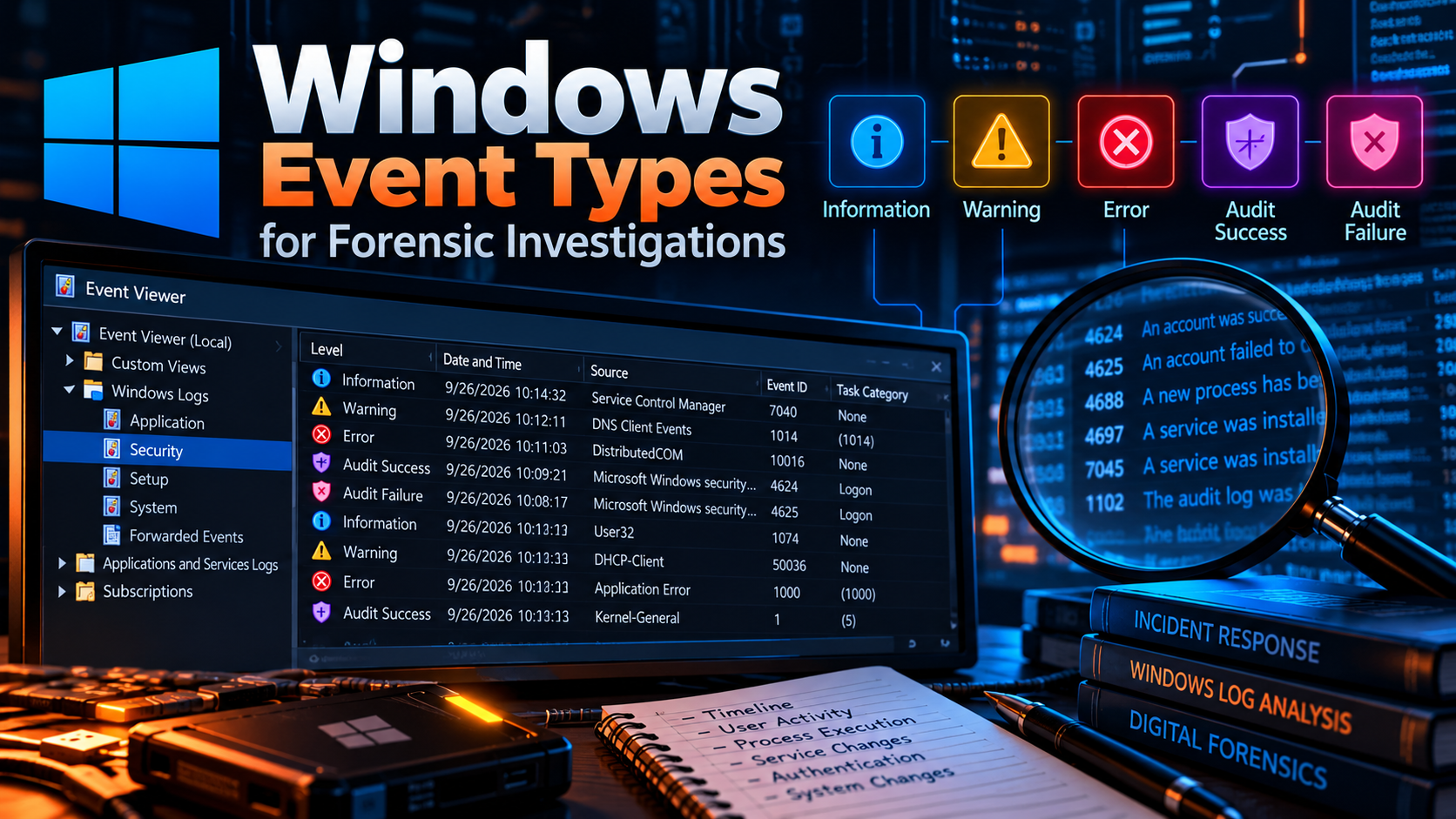
Windows Event Types for Forensic Investigations
The event IDs, log channels, and audit settings that actually solve cases
In this post
- Executive Summary
- How Windows Event Logging Works
- Prerequisites: Make Sure the Evidence Exists
- Authentication Events
- Kerberos and NTLM Events
- Account and Group Management
- Process Execution
- Persistence: Services, Scheduled Tasks, and WMI
- Lateral Movement: RDP, SMB, and Remote Execution
- PowerShell Events
- Defense Evasion and Anti-Forensics
- Sysmon: The Force Multiplier
- Collection and Triage Workflow
- Investigation Playbooks
- Verification and Validation
- Troubleshooting and Gotchas
- Quick Reference: The 25 Event IDs to Know Cold
Executive Summary
Objective: Give incident responders and threat hunters a practitioner map of the Windows event log: which channels matter, which event IDs answer which forensic questions, what has to be enabled before an incident so the evidence exists, and how to pull and triage it fast.
Target audience: SOC analysts, DFIR practitioners, sysadmins who get handed a “what happened on this box?” ticket, and anyone tuning a SIEM for Windows telemetry.
Windows logs almost everything an attacker does, but only if you turned it on first. Out of the box, process command lines are not recorded, PowerShell script content is mostly invisible, and the Security log rolls over at 20 MB, which on a busy server can mean only a few hours of history. This post covers the event types in the order an investigation actually uses them: authentication, account changes, execution, persistence, lateral movement, and anti-forensics.
How Windows Event Logging Works
Modern Windows (Vista and later) writes events in the binary EVTX format. Each log channel is a separate file under C:\Windows\System32\winevt\Logs\. When you collect evidence, you collect these files, not screenshots of Event Viewer.
The Channels That Matter
| Channel | File | Forensic value |
|---|---|---|
| Security | Security.evtx | Logons, privilege use, account changes, process creation, object access |
| System | System.evtx | Service installs (7045), log clears (104), driver loads, shutdowns |
| Application | Application.evtx | App crashes, installer activity, some AV products |
| PowerShell/Operational | Microsoft-Windows-PowerShell%4Operational.evtx | Script block (4104) and module (4103) logging |
| Windows PowerShell | Windows PowerShell.evtx | Legacy engine start/stop (400/403), pipeline (800) |
| TaskScheduler/Operational | Microsoft-Windows-TaskScheduler%4Operational.evtx | Task registration, updates, and execution |
| TerminalServices (RCM, LSM) | …TerminalServices-*%4Operational.evtx | RDP connections, session logon, disconnect, reconnect |
| WMI-Activity/Operational | Microsoft-Windows-WMI-Activity%4Operational.evtx | WMI event subscription persistence (5861) |
| Windows Defender/Operational | Microsoft-Windows-Windows Defender%4Operational.evtx | Detections (1116/1117), protection disabled (5001) |
| Sysmon/Operational | Microsoft-Windows-Sysmon%4Operational.evtx | Process, network, registry, DNS, and file telemetry (if deployed) |
Event Types: Levels and Keywords
When people say “event type” they usually mean one of two things: the level (how severe) or the audit keyword (did an audited action succeed or fail). The Security log uses keywords rather than levels, which is why every Security event shows level “Information” even when it records a failed logon.
| Type | Level / Keyword | Where you see it |
|---|---|---|
| Critical | Level 1 | System: unexpected shutdown (Kernel-Power 41) |
| Error | Level 2 | System and Application: service failures, crashes |
| Warning | Level 3 | PowerShell 4104 auto-flags suspicious script blocks at Warning |
| Information | Level 4 | Most operational events |
| Verbose | Level 5 | Debug and analytic channels |
| Audit Success | Keyword 0x8020000000000000 | Security: 4624, 4688, 4720, 4698 and similar |
| Audit Failure | Keyword 0x8010000000000000 | Security: 4625, 4771, 4776 failures, denied object access |
Pivot on the Logon ID
Every 4624 records a TargetLogonId (for example 0x3E7A11C). The same value appears as SubjectLogonId on 4672, 4688, 4663, 4698 and others generated inside that session, and as TargetLogonId on the matching 4634 logoff. Filtering on one Logon ID reconstructs everything a session did, start to finish.
Prerequisites: Make Sure the Evidence Exists
The most common finding in a Windows investigation is “that was not logged.” Fix it before the incident. Assumed knowledge: Group Policy basics and an elevated PowerShell prompt. Lab convention used below: 10.0.0.0/16 for internal hosts and 198.18.0.0/15 to represent public addresses.
Advanced Audit Policy Subcategories
| Subcategory | Setting | Key events it enables |
|---|---|---|
| Credential Validation | Success, Failure | 4776 |
| Kerberos Authentication Service | Success, Failure | 4768, 4771 |
| Kerberos Service Ticket Operations | Success, Failure | 4769 |
| Logon / Logoff | Success, Failure | 4624, 4625, 4634, 4647, 4648 |
| Special Logon | Success | 4672 |
| User Account Management | Success, Failure | 4720 to 4726, 4738, 4740 |
| Security Group Management | Success | 4728, 4732, 4756 |
| Process Creation | Success | 4688 |
| Security System Extension | Success | 4697 |
| Other Object Access Events | Success | 4698 to 4702 |
| Detailed File Share | Success, Failure | 5145 |
| Audit Policy Change | Success | 4719 |
| Security State Change | Success | 4616 |
# Enable the forensic baseline (run elevated)
$subs = @(
  "Credential Validation", "Kerberos Authentication Service",
  "Kerberos Service Ticket Operations", "Logon", "Logoff",
  "Special Logon", "User Account Management", "Security Group Management",
  "Process Creation", "Security System Extension",
  "Other Object Access Events", "Detailed File Share",
  "Audit Policy Change", "Security State Change"
)
foreach ($s in $subs) {
  auditpol /set /subcategory:"$s" /success:enable /failure:enable
}
auditpol /get /category:*
Command Lines in 4688
Without this setting, 4688 tells you powershell.exe ran but not what it ran. GPO path: Computer Configuration > Administrative Templates > System > Audit Process Creation > Include command line in process creation events.
$k = "HKLM:\Software\Microsoft\Windows\CurrentVersion\Policies\System\Audit"
New-Item -Path $k -Force | Out-Null
Set-ItemProperty -Path $k -Name ProcessCreationIncludeCmdLine_Enabled -Value 1
PowerShell Script Block Logging
$k = "HKLM:\SOFTWARE\Policies\Microsoft\Windows\PowerShell\ScriptBlockLogging"
New-Item -Path $k -Force | Out-Null
Set-ItemProperty -Path $k -Name EnableScriptBlockLogging -Value 1
Log Retention
The Security log defaults to 20 MB. Raise it, and forward to a SIEM or Windows Event Forwarding collector so a local wipe does not erase the only copy.
wevtutil sl Security /ms:1073741824
wevtutil sl "Microsoft-Windows-PowerShell/Operational" /ms:268435456
wevtutil gl Security
Authentication Events
Authentication events answer “who got in, from where, and how.” They are the backbone of almost every timeline.
| Event ID | Log | Meaning | Investigator notes |
|---|---|---|---|
| 4624 | Security | Successful logon | Check LogonType, IpAddress, WorkstationName, AuthenticationPackageName |
| 4625 | Security | Failed logon | Status and SubStatus explain why; burst from one IP means spray or brute force |
| 4634 | Security | Logoff | Match on TargetLogonId to get session duration |
| 4647 | Security | User-initiated logoff | Interactive and RDP sessions only |
| 4648 | Security | Logon with explicit credentials | runas, PsExec with -u, credential reuse toward another host |
| 4672 | Security | Special privileges assigned | Admin-equivalent session; pair with 4624 by Logon ID |
| 4778 | Security | Session reconnected | RDP or fast user switching |
| 4779 | Security | Session disconnected | Pair with 4778 for RDP hopping |
Logon Types
LogonType on 4624 and 4625 is the single most useful field in the Security log. It tells you how the account arrived.
| Type | Name | Typical cause | Forensic meaning |
|---|---|---|---|
| 2 | Interactive | Console keyboard logon | Someone was physically or KVM present |
| 3 | Network | SMB, mapped drive, PsExec, WMI | Lateral movement workhorse |
| 4 | Batch | Scheduled task | Check TaskScheduler logs |
| 5 | Service | Service start under an account | New account here is suspicious |
| 7 | Unlock | Workstation unlock | User returned to session |
| 8 | NetworkCleartext | IIS Basic auth, some scripts | Password crossed the wire in cleartext |
| 9 | NewCredentials | runas /netonly | Classic pass-the-hash tooling artifact |
| 10 | RemoteInteractive | RDP | Correlate with TerminalServices logs |
| 11 | CachedInteractive | Domain logon, DC unreachable | Laptop off network |
| 12 | CachedRemoteInteractive | RDP with cached creds | Rare, worth a look |
| 13 | CachedUnlock | Unlock with cached creds | Benign in most cases |
Why Did the Logon Fail? 4625 Status Codes
| SubStatus | Meaning | What it suggests |
|---|---|---|
| 0xC0000064 | User name does not exist | Username enumeration or spraying |
| 0xC000006A | Correct user, wrong password | Brute force on a known account |
| 0xC0000234 | Account locked out | Attack or stale saved credential |
| 0xC0000072 | Account disabled | Use of a departed user’s account |
| 0xC000006F | Outside allowed logon hours | Off-hours access attempt |
| 0xC0000070 | Workstation restriction | Account used from an unexpected host |
| 0xC0000071 | Password expired | Usually benign |
| 0xC0000193 | Account expired | Contractor or temp account reuse |
| 0xC0000133 | Clock skew | Kerberos time problem, not an attack |
| 0xC000015B | Logon type not granted | Right denied, for example RDP |
Here is what a suspicious RDP logon looks like once the fields are pulled out. An external source address, type 10, and an immediate 4672 on the same Logon ID is a remote admin session that needs an owner.
Event ID:        4624
Logon Type:      10
Target User:     CORP\jdoe
Target LogonId:  0x3E7A11C
Workstation:     KALI
Source Address:  198.18.44.17
Logon Process:   User32
Auth Package:    Negotiate
Elevated Token:  Yes
Kerberos and NTLM Events
On a domain, the domain controller holds the authentication record even when the workstation log is gone. Always pull DC Security logs.
| Event ID | Where | Meaning | Investigator notes |
|---|---|---|---|
| 4768 | DC | Kerberos TGT requested | Initial domain authentication; source IP of the client |
| 4769 | DC | Kerberos service ticket requested | Many requests with encryption 0x17 (RC4) for service accounts suggests Kerberoasting |
| 4770 | DC | Service ticket renewed | Long-lived sessions |
| 4771 | DC | Kerberos pre-auth failed | Failure code 0x18 is a bad password; Kerberos-side spraying |
| 4776 | DC or local | NTLM credential validation | NTLM where Kerberos is expected can indicate pass-the-hash or IP-based access |
Account and Group Management
Attackers who get admin create backdoor accounts and add themselves to privileged groups. These events are high signal and low volume, which makes them ideal alerts.
| Event ID | Meaning | Investigator notes |
|---|---|---|
| 4720 | User account created | Compare against HR and ticketing |
| 4722 | User account enabled | Dormant account revived |
| 4723 | User changed own password | Normal unless paired with a takeover |
| 4724 | Password reset by another account | Who reset whom; helpdesk or attacker |
| 4725 | User account disabled | Could be containment or sabotage |
| 4726 | User account deleted | Covering tracks after use |
| 4738 | User account changed | Flags such as password never expires |
| 4740 | Account locked out | Caller computer name points to the source |
| 4728 | Member added to global security group | Domain Admins lives here |
| 4732 | Member added to local security group | Local Administrators |
| 4756 | Member added to universal security group | Enterprise Admins |
Process Execution
| Event ID | Log | Meaning | Investigator notes |
|---|---|---|---|
| 4688 | Security | Process created | NewProcessName, ParentProcessName, CommandLine (if enabled), TokenElevationType |
| 4689 | Security | Process exited | Gives process lifetime |
| 1 | Sysmon | Process create | Adds hashes, full parent command line, and ProcessGuid |
Parent and child relationships carry most of the signal. winword.exe spawning powershell.exe, w3wp.exe spawning cmd.exe, or services.exe spawning a binary from C:\Users\Public\ are all worth an immediate look. Encoded commands (-enc, -EncodedCommand) and download cradles (IEX, DownloadString, certutil -urlcache) in CommandLine are classic indicators.
Persistence: Services, Scheduled Tasks, and WMI
| Event ID | Log | Meaning | Investigator notes |
|---|---|---|---|
| 7045 | System | Service installed | ImagePath with cmd, powershell, random names, or temp paths; PsExec leaves PSEXESVC |
| 4697 | Security | Service installed | Same data plus the installing account |
| 7036 | System | Service state change | Confirms the service actually ran |
| 4698 | Security | Scheduled task created | Full task XML is in the event |
| 4702 | Security | Scheduled task updated | Hijack of an existing task |
| 4699 | Security | Scheduled task deleted | Cleanup after execution |
| 106 | TaskScheduler | Task registered | Operational-log mirror of 4698 |
| 140 | TaskScheduler | Task updated | Mirror of 4702 |
| 141 | TaskScheduler | Task deleted | Mirror of 4699 |
| 200 / 201 | TaskScheduler | Action started / completed | Proves the task executed, not just existed |
| 5861 | WMI-Activity | Permanent event consumer bound | WMI subscription persistence; rarely legitimate |
| 5860 | WMI-Activity | Temporary event consumer registered | In-memory variant |
Service and task names lie
Attackers name things “WindowsUpdateSvc” or “GoogleUpdateTaskMachine.” Judge the ImagePath or task action, not the display name. Legitimate services rarely run from \AppData\, \Temp\, or \Users\Public\.
Lateral Movement: RDP, SMB, and Remote Execution
Lateral movement leaves artifacts on both ends. The source host records outbound intent (4648, RDP client logs); the destination records the inbound logon.
| Event ID | Log | Side | Meaning |
|---|---|---|---|
| 1024 | RDPClient/Operational | Source | Outbound RDP connection attempt, with target |
| 4648 | Security | Source | Explicit credentials used toward a target server |
| 1149 | TS-RemoteConnectionManager | Destination | RDP network authentication succeeded (user and source IP) |
| 4624 (type 10) | Security | Destination | RDP logon |
| 21 | TS-LocalSessionManager | Destination | Session logon succeeded |
| 22 | TS-LocalSessionManager | Destination | Shell start received |
| 24 / 25 | TS-LocalSessionManager | Destination | Session disconnected / reconnected |
| 4624 (type 3) | Security | Destination | SMB, PsExec, WMI, WinRM network logon |
| 5140 | Security | Destination | Network share accessed (ADMIN$, C$, IPC$) |
| 5145 | Security | Destination | Specific file on a share checked, per access |
| 7045 | System | Destination | PSEXESVC or random service name from remote exec |
| 91 / 168 | WinRM/Operational | Destination | WinRM session creation and auth |
A PsExec pivot, reconstructed on the destination, typically reads: 4624 type 3 from the source IP, then 4672, then 5140 for ADMIN$, then 5145 writing PSEXESVC.exe, then 7045 installing the service, then 4688 with PSEXESVC.exe as the parent.
PowerShell Events
| Event ID | Log | Meaning | Investigator notes |
|---|---|---|---|
| 4104 | PowerShell/Operational | Script block logged | Deobfuscated script content; large scripts split across multiple events |
| 4103 | PowerShell/Operational | Module / pipeline logging | Cmdlet invocations with parameters |
| 400 / 403 | Windows PowerShell | Engine started / stopped | HostApplication shows the launch command line; version 2 use is suspicious |
| 800 | Windows PowerShell | Pipeline execution details | Legacy command detail |
Even without script block logging enabled, PowerShell 5 automatically records 4104 at Warning level when a script block contains known-suspicious content. Filter 4104 on Level 3 for a quick win on unhardened hosts. A 400 event showing EngineVersion=2.0 often means someone launched powershell -version 2 to dodge modern logging.
Defense Evasion and Anti-Forensics
The attempt to hide is itself evidence. These events should page someone.
| Event ID | Log | Meaning | Investigator notes |
|---|---|---|---|
| 1102 | Security | Security audit log cleared | Records the account that cleared it |
| 104 | System | A log was cleared | Names the channel that was cleared |
| 4719 | Security | System audit policy changed | Auditing turned off before action |
| 4616 | Security | System time changed | Timestamp manipulation |
| 5001 | Defender/Operational | Real-time protection disabled | Pre-payload staging |
| 5007 | Defender/Operational | Defender configuration changed | New exclusion paths are a favorite |
| 1116 / 1117 | Defender/Operational | Malware detected / action taken | Check whether the action actually succeeded |
| 4657 | Security | Registry value modified | Needs a SACL on the key |
Sysmon: The Force Multiplier
Sysmon (Sysinternals) fills the gaps in native logging: file hashes, network connections per process, DNS queries, and process injection. Deploy it with a maintained configuration such as the SwiftOnSecurity or Olaf Hartong modular configs rather than an empty one.
| ID | Event | Forensic use |
|---|---|---|
| 1 | Process create | Hashes, parent command line, ProcessGuid for correlation |
| 3 | Network connection | Which process talked to which IP and port |
| 7 | Image loaded | DLL sideloading and unsigned module loads |
| 8 | CreateRemoteThread | Code injection into another process |
| 10 | ProcessAccess | Handle to lsass.exe signals credential dumping |
| 11 | FileCreate | Dropped payloads, staging files |
| 12 / 13 / 14 | Registry events | Run key and service persistence |
| 22 | DNS query | Process-level DNS, catches C2 domains |
| 23 / 26 | File delete | Archived or logged deletions, anti-forensics |
| 25 | Process tampering | Process hollowing and herpaderping |
sysmon64.exe -accepteula -i sysmonconfig.xml
sysmon64.exe -c
Collection and Triage Workflow
Step 1: Preserve the Logs
Goal: Get a forensically clean copy before anything rolls over. Action: Export with wevtutil epl, which works on live, locked channels.
$out = "C:\IR\$env:COMPUTERNAME"
New-Item -ItemType Directory -Path $out -Force | Out-Null
$logs = @(
  "Security", "System", "Application", "Windows PowerShell",
  "Microsoft-Windows-PowerShell/Operational",
  "Microsoft-Windows-TaskScheduler/Operational",
  "Microsoft-Windows-TerminalServices-RemoteConnectionManager/Operational",
  "Microsoft-Windows-TerminalServices-LocalSessionManager/Operational",
  "Microsoft-Windows-WMI-Activity/Operational",
  "Microsoft-Windows-Windows Defender/Operational",
  "Microsoft-Windows-Sysmon/Operational"
)
foreach ($l in $logs) {
  $f = Join-Path $out (($l -replace '[/ ]', '_') + '.evtx')
  wevtutil epl "$l" "$f" 2>$null
}
Get-FileHash "$out\*.evtx" -Algorithm SHA256 | Export-Csv "$out\hashes.csv"
Verification: hashes.csv lists every exported file. Missing files usually mean the channel does not exist on that host (Sysmon not installed, for example).
Step 2: Hunt Live with Get-WinEvent
Goal: Answer a specific question fast. Action: Filter with a hashtable, then parse EventData from XML so you get named fields instead of message text.
Get-WinEvent -FilterHashtable @{
  LogName   = 'Security'
  Id        = 4625
  StartTime = (Get-Date).AddHours(-24)
} | ForEach-Object {
  $x = [xml]$_.ToXml()
  $d = @{}
  $x.Event.EventData.Data | ForEach-Object { $d[$_.Name] = $_.'#text' }
  [pscustomobject]@{
    Time      = $_.TimeCreated
    User      = $d.TargetUserName
    LogonType = $d.LogonType
    SubStatus = $d.SubStatus
    SourceIP  = $d.IpAddress
  }
} | Group-Object SourceIP | Sort-Object Count -Descending
Verification: Output groups failures by source. A single IP with hundreds of 0xC000006A entries against one user is brute force; many users with 0xC0000064 is enumeration or spraying.
Step 3: Query Exported EVTX Files Offline
$xp = "*[System[EventID=4624]] and " +
      "*[EventData[Data[@Name='LogonType']='10']]"
Get-WinEvent -Path "C:\IR\HOST01\Security.evtx" -FilterXPath $xp |
  Select-Object TimeCreated, Message
Step 4: Timeline at Scale
For more than a handful of hosts, use purpose-built tools. Hayabusa and Chainsaw apply Sigma rules to EVTX directly; EvtxECmd normalizes everything to CSV for Timeline Explorer.
hayabusa csv-timeline -d C:\IR\HOST01 -o C:\IR\HOST01_timeline.csv
hayabusa logon-summary -d C:\IR\HOST01

chainsaw hunt C:\IR\HOST01 -s sigma\ --mapping mappings\sigma-event-logs-all.yml

EvtxECmd.exe -d C:\IR\HOST01 --csv C:\IR\out --csvf HOST01_evtx.csv
Investigation Playbooks
Brute Force Leading to Compromise
- Many 4625 events from one source IP, SubStatus 0xC000006A, against one account.
- A 4624 from the same IP for the same account, often type 3 or type 10.
- A 4672 on that Logon ID if the account is privileged.
- 4688 or Sysmon 1 events under that Logon ID showing what the attacker ran first.
RDP Lateral Movement
- Source host: RDPClient 1024 naming the target, and possibly 4648.
- Destination: 1149, then 4624 type 10, then LocalSessionManager 21 and 22.
- Session end: 24 or 4779, and 4634 or 4647 on the same Logon ID.
- Repeated 25 / 4778 reconnects show an operator returning to a parked session.
Malicious Service or Scheduled Task
- 7045 or 4697 with a suspicious ImagePath, or 4698 with a suspicious task action.
- The installing account on 4697 or 4698, then back to its 4624 to find the source.
- TaskScheduler 200 and 201 or 7036 to prove execution.
- 1102 or 104 shortly afterward means the operator tried to clean up.
Verification and Validation
Confirm your audit baseline actually produces events before you need them. Generate a few benign test events in a lab and query for them.
# Failed logon (enter a wrong password when prompted) -> 4625
runas /user:$env:USERDOMAIN\labuser cmd

# Scheduled task create and delete -> 4698, 4699, TaskScheduler 106, 141
schtasks /create /tn IR-Test /tr calc.exe /sc once /st 23:59
schtasks /delete /tn IR-Test /f

# Process creation with command line -> 4688
cmd /c "echo IR-Test"

# Confirm they landed
Get-WinEvent -FilterHashtable @{LogName='Security'; Id=4625,4688,4698} `
  -MaxEvents 10 | Format-Table TimeCreated, Id, ProviderName -AutoSize
Expected success output: at least one row each for 4625, 4688, and 4698. Open a 4688 and confirm the Process Command Line field is populated. If it is blank, the command line policy has not applied yet; run gpupdate /force and retest.
Troubleshooting and Gotchas
4688 Exists but Command Line Is Empty
Cause: Process Creation auditing is on but the Include command line policy is not. Diagnose: check the registry value, then retest.
Get-ItemProperty `
  "HKLM:\Software\Microsoft\Windows\CurrentVersion\Policies\System\Audit" `
  -Name ProcessCreationIncludeCmdLine_Enabled
auditpol Shows Settings but Nothing Is Logged
Cause: Legacy (basic) audit policy in a GPO is overriding the advanced subcategories. Resolution: enable Security Options > Audit: Force audit policy subcategory settings to override audit policy category settings, which sets SCENoApplyLegacyAuditPolicy to 1. Confirm with gpresult /h report.html and auditpol /get /category:*.
The Security Log Only Covers a Few Hours
Cause: Default 20 MB size with overwrite-as-needed retention. Diagnose: wevtutil gl Security and check maxSize, then compare the oldest event time to the incident window. Resolution: raise the size, and forward events off-host. Also check the DC and any SIEM before assuming the evidence is gone.
Times Do Not Line Up Across Hosts
EVTX stores timestamps in UTC; Event Viewer displays them in the local time zone of the analyst’s machine. Normalize everything to UTC in your timeline, and look for 4616 events if a host’s clock looks deliberately wrong.
4625 Source Address Is a Dash
A - in IpAddress means a local logon or an NTLM network logon where only the WorkstationName was supplied. Pivot to 4776 on the domain controller, which records the workstation, and to the firewall or NetFlow for the actual IP.
Quick Reference: The 25 Event IDs to Know Cold
| ID | Log | What it tells you |
|---|---|---|
| 4624 | Security | Successful logon (check LogonType) |
| 4625 | Security | Failed logon (check SubStatus) |
| 4634 / 4647 | Security | Logoff |
| 4648 | Security | Explicit credential use |
| 4672 | Security | Admin-level session |
| 4688 | Security | Process created |
| 4697 | Security | Service installed |
| 4698 | Security | Scheduled task created |
| 4719 | Security | Audit policy changed |
| 4720 | Security | User created |
| 4724 | Security | Password reset |
| 4728 / 4732 / 4756 | Security | Added to privileged group |
| 4740 | Security | Account lockout |
| 4768 / 4769 | Security (DC) | Kerberos TGT / service ticket |
| 4771 | Security (DC) | Kerberos pre-auth failure |
| 4776 | Security | NTLM validation |
| 5140 / 5145 | Security | Share and share-file access |
| 1102 | Security | Security log cleared |
| 104 | System | Log cleared |
| 7045 | System | Service installed |
| 1149 | TS-RCM | RDP authentication from IP |
| 21 / 24 / 25 | TS-LSM | RDP session logon, disconnect, reconnect |
| 4104 | PowerShell/Operational | Script block content |
| 5861 | WMI-Activity | WMI persistence |
| 1116 / 5001 | Defender | Detection / protection disabled |
Enable the audit baseline, raise your log sizes, forward off-host, and learn the Logon ID pivot. Do those four things and the next “what happened on this box?” ticket becomes a timeline instead of a guess.
Recent posts
-

-

DNS is one of those technologies that quietly underpins... Full Story
-

BGP issues on FortiGate firewalls usually trace back to... Full Story
-

Every time your laptop talks to your router, a... Full Story
-

If you've spent any time configuring NAT on a... Full Story
-

If you have spent any time configuring firewall policies... Full Story
-

High availability on FortiGate is one of those features... Full Story
-

If you've configured SD-WAN on a FortiGate, you've almost... Full Story
-

FortiLink is the management protocol that turns a FortiSwitch... Full Story
-

FortiSwitches are pretty rock solid from Mean Time Between... Full Story
-

This is a quicky tip. Have you ever gone... Full Story
-

DNS is one of those quiet pieces of internet... Full Story
-

This article is an updated version of the previous... Full Story
-

You will add ns2 as a secondary (slave) BIND9... Full Story
-

In the process of deploying my lab, I needed... Full Story
-

RFC 8805, used to be known as Self-Correcting IP... Full Story
-

Years back, I wrote an article about certificate pinning. ... Full Story
-

FortiGates have the ability to send alerts to Microsoft... Full Story
-

In this post, I am going to walk through... Full Story
-

Troubleshooting VoIP on a FortiGate can feel like trying... Full Story
-

Prior to FortiOS 7.0, there were three commands to... Full Story
-

In this post, I am going to go over... Full Story
-

What we are going to do: We are going... Full Story
-

Choosing between FGCP (FortiGate Clustering Protocol) and FGSP (FortiGate... Full Story
-

Creating a VLAN on macOS (The "Pro" Move) A... Full Story
-

This blog post explores the logic behind how macOS... Full Story
-

Pretty Fly for a Wi-Fi Tell My Wi-Fi Love... Full Story
-

Part of my daily gig is creating BoMs (Bill-of-Materials)... Full Story
-

ICMP introduces several security risks, but careful filtering, rate... Full Story
-

The command diag debug application dhcps -1 enables full... Full Story
-

In the world of FortiOS, execute tac report is... Full Story
-

LLDP; What is it The Link Layer Discovery Protocol... Full Story
-

What it actually does When you run diagnose fdsm... Full Story
-

Monkey Bites are bite-sized, high-impact security insights designed for... Full Story
-

I have run macOS in macOS with Parallels but... Full Story
-

Don't be confused with my other FortiNAC posts where... Full Story
-

This is the third session in a multi-part article... Full Story
-

Today I was configuring key-based authentication on a FortiGate... Full Story
-

Netcat, often called the "Swiss Army knife" of networking,... Full Story
-

At its core, IEEE 802.1X is a network layer... Full Story
-

In case you did not see the previous FortiNAC... Full Story
-

This is our 5th session where we are going... Full Story
-

Now that we have Wireshark installed and somewhat configured,... Full Story
-

The Philosophy of Packet Analysis Troubleshooting isn't about looking... Full Story
-

Managing Windows Firewall from the Command Line: netsh, PowerShell... Full Story
-

Chrome CVE-2026-106378: Patching the macOS Sandbox Escape No fluff.... Full Story
-

OpenLDAP Server on Ubuntu 24.04: Deploy, Configure and Use... Full Story