
If you've spent any time configuring user authentication on... Full Story
By Manny Fernandez
June 28, 2026
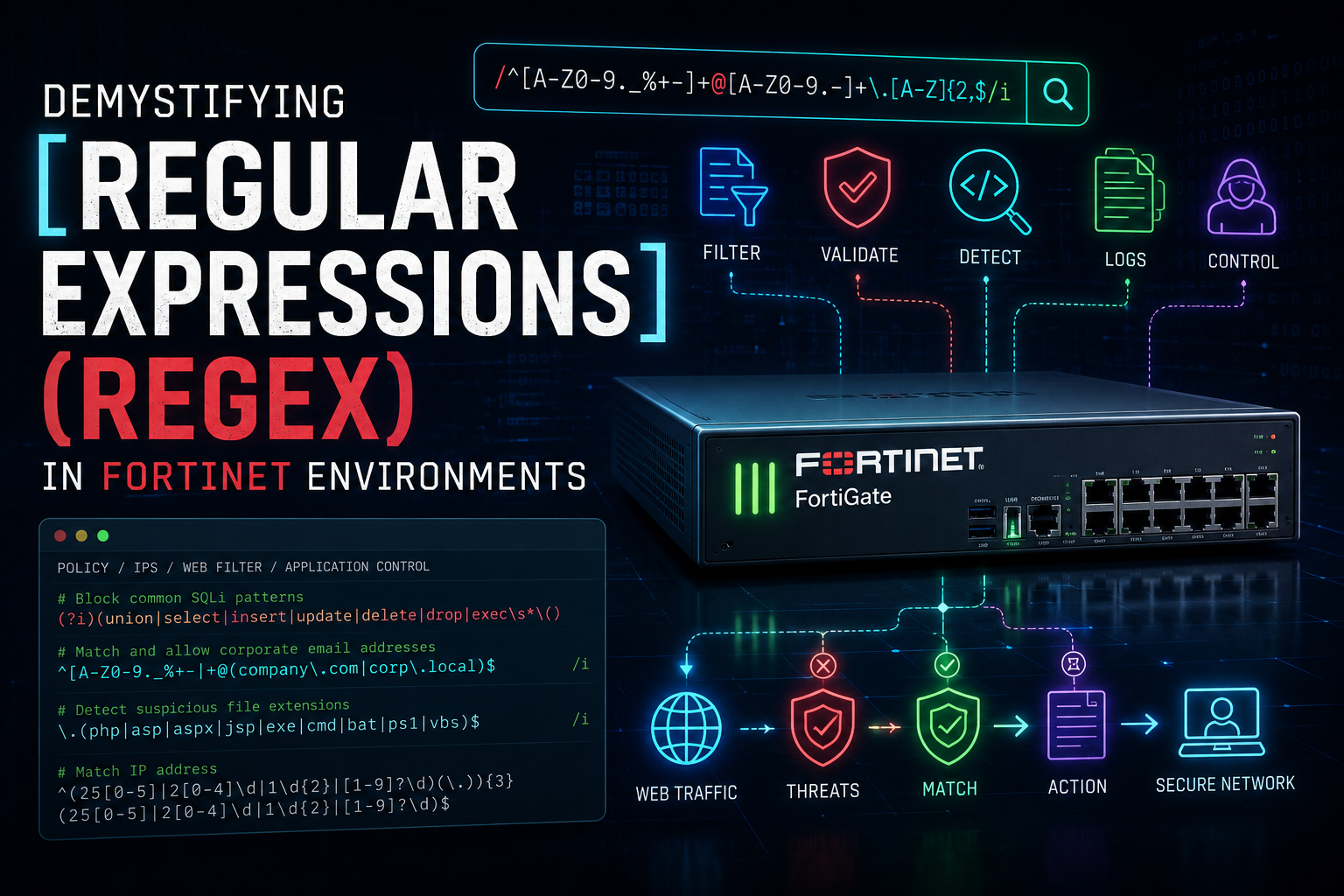
Demystifying Regular Expressions (Regex) in Fortinet Environments
A Comprehensive Deep Dive, Best Practices, and Ready-to-Use Cheat Sheet
1. Introduction to Regex in FortiOS
Regular Expressions (Regex) are vital for network security engineers working within the Fortinet ecosystem. FortiOS leverages regex across multiple security modules to inspect traffic, filter content, and enforce compliance policy rules. Whether you are defining custom Application Control signatures, tuning Data Loss Prevention (DLP) sensors, structuring URL filtering criteria, or parsing security logs inside FortiAnalyzer, a precise and optimized regex expression is often the line of defense between an accurate block and a devastating false positive.
FortiOS predominantly utilizes a variation of the POSIX Extended Regular Expression (ERE) engine and the highly efficient Perl Compatible Regular Expressions (PCRE) architecture, depending on the specific module and version. Knowing exactly how FortiOS compiles and evaluates these expressions ensures that security profiles remain robust without introducing CPU exhaustion or latency bottlenecks.
2. Fortinet-Specific Flavor Nuances & Architectures
A common trap for security administrators is copying a generic PCRE regex string from the internet and pasting it directly into a FortiGate profile, only to find it fails to match or breaks traffic. Fortinet utilizes specific regex implementations across different functional areas:
-
POSIX Extended Regular Expressions (ERE): Used heavily within the CLI for system-wide filtering (e.g.,
# get system performance status | grep -E ...). It supports basic characters but lacks modern lookarounds and non-greedy match specifiers. -
Perl Compatible Regular Expressions (PCRE): Utilized in modern FortiOS components, specifically within DLP dictionaries, Custom Application Signatures, Web Filter URL patterns, and FortiMail content evaluation. PCRE allows for complex assertions, lookarounds, and specific character classes.
Crucial Operational Nuances to Remember
-
Case Sensitivity: In most FortiOS configurations (like Web Filter URL lists), regex pattern matching is case-insensitive by default. However, in custom IPS or application signatures, case sensitivity must be explicitly managed using modifiers like
(?i)for case-insensitivity or(?-i)for strict case enforcement. -
Implicit Anchoring vs. Global Matching: FortiOS engines match paths implicitly if no boundary anchors are specified. For example, if you input a Web Filter regex block for
badsite\.com, it will matchgoodsite.com/badsite.comorbadsite.com.attacker.net. Always use anchors (^and$) when matching entire domains or boundaries. -
Resource Constraints & Backtracking: Security gateways process thousands of packets per second. Poorly written regex—specifically patterns containing nested quantifiers like
(.*)*—can trigger catastrophic backtracking, causing the FortiGate’s WAD or IPS engine daemon to hit 99% CPU utilization and enter conserved mode. Keep your expressions strictly bounded.
3. Deep Dive into Core Regex Building Blocks
To build flawless Fortinet regex signatures, you must master the fundamental building blocks of regex syntax as processed by modern PCRE-based engines.
A. Anchors & Boundaries
-
^(Caret): Matches the absolute beginning of a string or line. Example:^adminmatchesadmin_loginbut completely skipssecure_admin. -
$(Dollar): Matches the absolute end of a string or line. Example:log$matchessystem_logbut misseslog_archive. -
\b(Word Boundary): Marks a word boundary where a word character connects to a non-word character. Example:\bexec\bcatches the standalone wordexecbut safely ignoresexecutable.
B. Character Classes & Quantifiers
-
.(Dot): Matches any character except a literal newline character. -
[ ... ](Character Set): Defines a specific set of acceptable characters.[a-zA-Z0-9]matches any single alphanumeric character. -
[^ ... ](Negated Character Set): Inverts the set, matching anything NOT listed inside the brackets.[^0-9]matches any non-digit character. -
*(Asterisk): Matches zero or more instances of the preceding token (greedy by default). -
+(Plus): Matches one or more instances of the preceding token. -
?(Question Mark): Matches exactly zero or one instance of the preceding token (ideal for optional elements like HTTP/HTTPS protocol prefixes). -
{n,m}(Quantifier Range): Matches an exact range or number of occurrences.{3}means exactly 3 times, while{1,3}means between 1 and 3 times.
C. Common Escapes & Special Sequences
-
Escaping Literal Characters: Because tokens like
.,*,?,$, and+have structural meaning, you must prefix them with a literal backslash to match them as plain text. For example, to match a literal IP address or a web domain host, write192\.168\.1\.1andfortinet\.cominstead of192.168.1.1orfortinet.com. -
\d: Base shorthand sequence for any digit character; fully equivalent to standard[0-9]. -
\w: Shorthand sequence for any alphanumeric word character plus underscores; fully equivalent to[a-zA-Z0-9_]. -
\s: Shorthand sequence representing any whitespace character (spaces, tabs, line breaks).
4. Real-World Fortinet Security Use Cases
Scenario A: Data Loss Prevention (DLP) Corporate Content Filtering
FortiOS DLP sensors scan egress corporate traffic for sensitive data leaks. Let’s design a high-accuracy custom regex pattern to identify US Social Security Numbers (SSN) formatted as XXX-XX-XXXX or raw numeric digits without causing false positives on generic 9-digit serial numbers.
-
Optimized Regex Pattern:
Code snippet
\b\d{3}[- ]?\d{2}[- ]?\d{4}\b -
Breakdown:
\bsets a hard word boundary so a longer sequence of digits isn’t matched.\d{3}matches exactly 3 digits.[- ]?allows for an optional hyphen or a space.\d{2}matches 2 digits, followed by another optional separator, ending with\d{4}and a closing boundary.
Scenario B: Custom IPS / Application Control Signatures
FortiGate allows administrators to build custom IPS signatures to stop zero-day attacks or suspicious application traffic headers. Suppose you need to block an exploit attempting directory traversal attacking internal Linux web services via ../sequences in HTTP URI requests.
-
Optimized Regex Pattern (inside F-SBID signature block):
Code snippet
(?i)--pattern "(\.\./|\.\.\\\\)"; -
Breakdown:
(?i)toggles absolute case-insensitivity. The regex group balances between detecting forward slashes (../) or escaped backslashes (..\\) often used to bypass basic pattern matching filters.
Scenario C: Advanced Web Filtering URL Pattern Matching
You need to implement a wildcard block list rule that matches malicious subdomains and paths associated with a known phishing network tracking users via parameters, specifically matching variations of phish-login.com, auth.phish-login.com/sign-in, or any tracking parameters under that base domain.
-
Optimized Regex Pattern:
Code snippet
^([a-z0-9-]+\.)*phish-login\.com(/.*)?$ -
Breakdown:
^anchors to the start of the URI.([a-z0-9-]+\.)*gracefully catches any subdomains (like auth., stage., or dev.).phish-login\.comsafely escapes the literal domain period.(/.*)?$ensures that regardless of whether the user requests the root domain or subfolders/tracking strings, the traffic is identified.
5. Fortinet Optimization & Performance Guidelines
Because FortiGate appliances operate inline on real-time corporate traffic streams, unoptimized expressions can directly impact your system’s overall health and throughput. Implement these optimization techniques:
-
Eliminate Lazy Dot-Star Greediness: Avoid patterns like
.*malware.*. The generic dot-star pattern forces the engine to scan to the absolute end of a packet or payload string and then backtrack step-by-step to find the word, exhausting memory buffers. Be as explicit as possible. -
Leverage Short-Circuiting Order: When grouping alternate patterns, place the most common variants first. For instance, in
(exe|dll|msi|bat), ifexematches 90% of your targets, placing it first allows the regex engine to short-circuit the execution flow immediately without testing subsequent conditions. -
Use Non-Capturing Groups for Performance: Standard capture groups
(...)require the FortiOS engine to allocate systemic memory to store matched tokens for structural back-referencing. If you are grouping strictly for alternation, use non-capturing groups(?:...)to avoid unnecessary memory overhead. -
Validate Patterns Before Production Deployment: Before committing any custom regex signature to live production networks, execute thorough test verification in the FortiOS CLI or isolated staging profiles to check behavior and rule out unexpected performance strain or broad false positives.
FORTINET REGEX QUICK REFERENCE CHEAT SHEET
Optimized Syntax and Reference Patterns for FortiOS, FortiGate, and FortiAnalyzer
Table 1: Essential Structural Anchors & Tokens
| Token | Functional Matching Behavior | Fortinet Security Context / Example |
^ |
Matches structural beginning of string/line | ^admin matches logins starting with admin |
$ |
Matches structural end of string/line | exe$ matches payload files ending with executable extension |
\b |
Sets word boundaries at non-alphanumeric split | \bcmd\b blocks standalone command strings, ignores cmdlet |
. |
Wildcard: matches any character except newline | Inspects fluid structures, avoid excessive continuous use |
\ |
Escape character used to parse literal tokens | Use \. to escape domain periods (e.g., example\.com) |
| |
Logical OR operation; separates matching options | (exe|dll|sh) checks multiple executable variations |
Table 2: Shorthand Character Sets & Ranges
| Shorthand | Equivalent Standard Range | Typical Deployment Use Case |
\d |
[0-9] |
Matches numerical patterns (IP segments, credit cards, SSN) |
\D |
[^0-9] |
Matches any non-digit character (alpha configurations) |
\w |
[a-zA-Z0-9_] |
Matches alphanumeric characters and underscores (usernames) |
\W |
[^a-zA-Z0-9_] |
Matches special symbols, punctuation marks, network spaces |
\s |
[ \t\r\n\f] |
Matches general empty spaces and traffic indentation blocks |
[a-z] |
Lowercase letters explicitly | Strict filtering when case enforcement overrides (?i) |
Table 3: Production-Ready Fortinet Security Patterns
| Target Pattern Objective | Optimized Regex Formula | Recommended Deployment Profile |
| IPv4 Address Validation | \b(?:[0-9]{1,3}\.){3}[0-9]{1,3}\b |
DLP, Log Parsing, Custom Scripting Filters |
| SSN Content Protection | \b\d{3}[- ]?\d{2}[- ]?\d{4}\b |
DLP Sensor Content Rules |
| Credit Card (Visa/MC) | \b\d{4}[- ]?\d{4}[- ]?\d{4}[- ]?\d{4}\b |
DLP Compliance Enforcements |
| Domain Wildcard Matching | ^([a-z0-9-]+\.)*targetsite\.com$ |
Web Filter URL Custom Groups |
| Linux Path Traversal | (\.\./|\.\.\\\\) |
Custom IPS / Application Signatures |
| Executable Block (URI) | \.(exe|dll|msi|scr|bat)(?:\?|$) |
Web Filter URL Lists & Proxy Rules |
Recent posts
-

-

DNS is one of those technologies that quietly underpins... Full Story
-

BGP issues on FortiGate firewalls usually trace back to... Full Story
-

Every time your laptop talks to your router, a... Full Story
-

If you've spent any time configuring NAT on a... Full Story
-

If you have spent any time configuring firewall policies... Full Story
-

High availability on FortiGate is one of those features... Full Story
-

If you've configured SD-WAN on a FortiGate, you've almost... Full Story
-

FortiLink is the management protocol that turns a FortiSwitch... Full Story
-

FortiSwitches are pretty rock solid from Mean Time Between... Full Story
-

This is a quicky tip. Have you ever gone... Full Story
-

DNS is one of those quiet pieces of internet... Full Story
-

This article is an updated version of the previous... Full Story
-

You will add ns2 as a secondary (slave) BIND9... Full Story
-

In the process of deploying my lab, I needed... Full Story
-

RFC 8805, used to be known as Self-Correcting IP... Full Story
-

Years back, I wrote an article about certificate pinning. ... Full Story
-

FortiGates have the ability to send alerts to Microsoft... Full Story
-

In this post, I am going to walk through... Full Story
-

Troubleshooting VoIP on a FortiGate can feel like trying... Full Story
-

Prior to FortiOS 7.0, there were three commands to... Full Story
-

In this post, I am going to go over... Full Story
-

What we are going to do: We are going... Full Story
-

Choosing between FGCP (FortiGate Clustering Protocol) and FGSP (FortiGate... Full Story
-

Creating a VLAN on macOS (The "Pro" Move) A... Full Story
-

This blog post explores the logic behind how macOS... Full Story
-

Pretty Fly for a Wi-Fi Tell My Wi-Fi Love... Full Story
-

Part of my daily gig is creating BoMs (Bill-of-Materials)... Full Story
-

ICMP introduces several security risks, but careful filtering, rate... Full Story
-

The command diag debug application dhcps -1 enables full... Full Story
-

In the world of FortiOS, execute tac report is... Full Story
-

LLDP; What is it The Link Layer Discovery Protocol... Full Story
-

What it actually does When you run diagnose fdsm... Full Story
-

Monkey Bites are bite-sized, high-impact security insights designed for... Full Story
-

I have run macOS in macOS with Parallels but... Full Story
-

Don't be confused with my other FortiNAC posts where... Full Story
-

This is the third session in a multi-part article... Full Story
-

Today I was configuring key-based authentication on a FortiGate... Full Story
-

Netcat, often called the "Swiss Army knife" of networking,... Full Story
-

At its core, IEEE 802.1X is a network layer... Full Story
-

In case you did not see the previous FortiNAC... Full Story
-

This is our 5th session where we are going... Full Story
-

Now that we have Wireshark installed and somewhat configured,... Full Story
-

The Philosophy of Packet Analysis Troubleshooting isn't about looking... Full Story
-

Executive Summary Objective: Get you from zero to writing... Full Story
-

NAND cells, the flash translation layer, SLC caching, TRIM,... Full Story
-

Nmap Scripting Engine (NSE): From One-Liners to Your First... Full Story