
If you've spent any time configuring user authentication on... Full Story
By Manny Fernandez
July 22, 2026
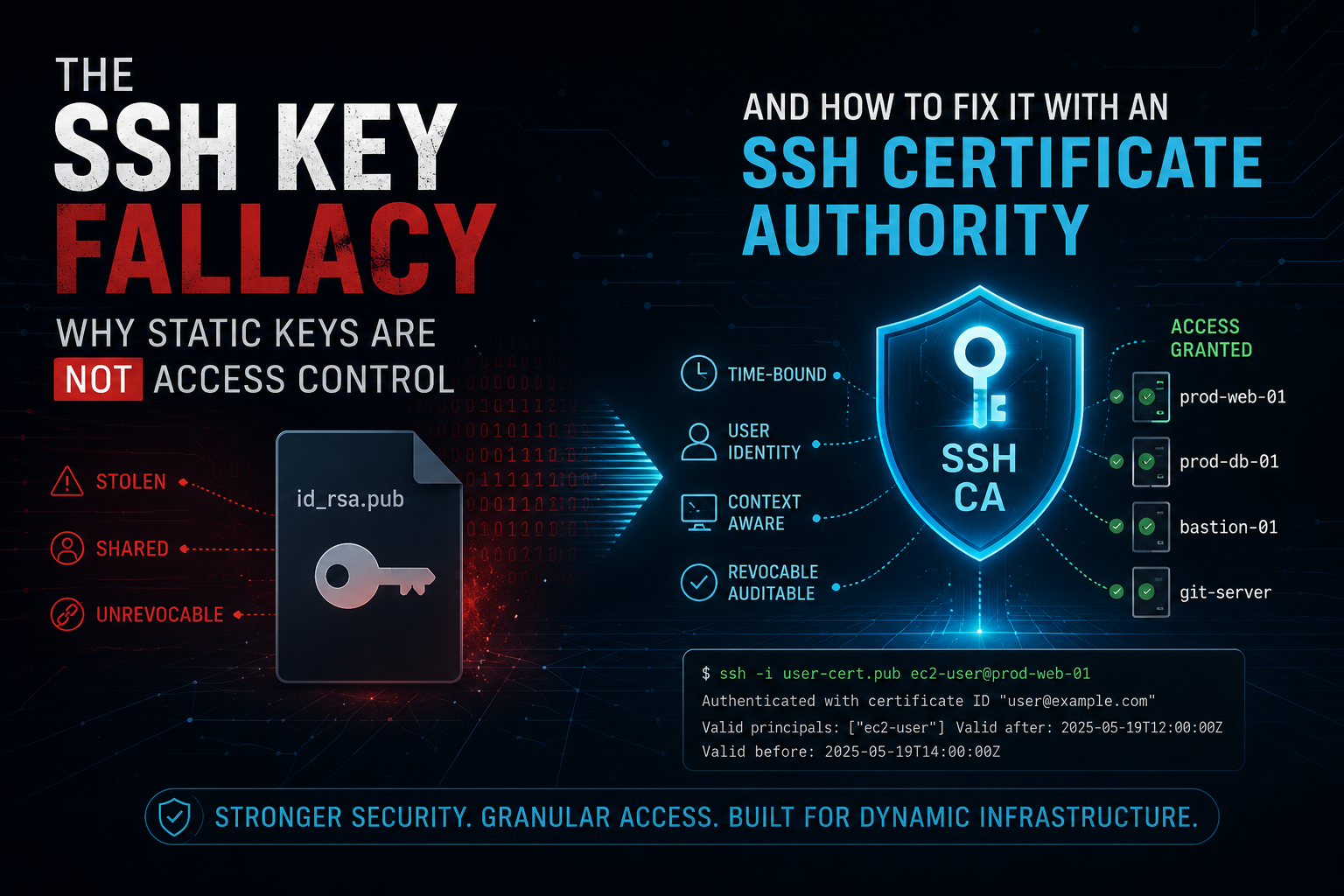
The SSH Key Fallacy: Why Static Keys Are Not Access Control, and How to Fix It With an SSH Certificate Authority
1. Executive Summary
Objective: Moving from passwords to SSH public keys feels like a security upgrade, and in one narrow sense it is: you stop transmitting a reusable secret. The fallacy is the leap that follows: “we use SSH keys, therefore SSH access is secure.” This guide dismantles that assumption, shows exactly why static key pairs rot into an unauditable, unrevocable, non-expiring liability, and then walks you through standing up an SSH Certificate Authority that issues short-lived, principal-scoped, centrally revocable certificates for both users and hosts.
Target Audience: Systems Engineers, Security Engineers, SREs, and Platform / DevOps teams who manage SSH access to fleets of Linux hosts and want to move past hand-managed authorized_keys files.
The Fallacy in One Paragraph
A password is a credential that lives in one place, expires, can be revoked in a single action, can be rate-limited, and is bound to an identity. A raw SSH key pair is the opposite: a static file with no expiry, no central revocation, no identity binding, and a passphrase that is optional and unenforceable. Switching to keys does not eliminate the credential problem. It copies the credential onto every laptop, CI runner, jump box, and backup, and then it stops anyone from looking at it.
2. Prerequisites & Architecture
Assumed Knowledge
- Comfortable on the Linux CLI and editing
sshd_config. - Understand asymmetric key pairs at a high level (public versus private key).
- Basic familiarity with
ssh,ssh-keygen, and howknown_hostsandauthorized_keyswork today.
Environment / Lab Requirements
- OpenSSH 8.2 or later on every node. Certificates work from 5.4+, but 8.2+ is required for the FIDO2 hardware keys used in Phase 6. Check with
ssh -V. - Three roles, which can be three VMs or containers: a CA host (isolated, holds the signing keys), one or more target hosts, and a client workstation.
- Time sync (NTP or chrony) on all nodes. Certificate validity is wall-clock sensitive, and skew is the number-one support call.
- Root or sudo on target hosts to edit
sshd_config.
Component Table
| Component | Role | Example FQDN / IP |
|---|---|---|
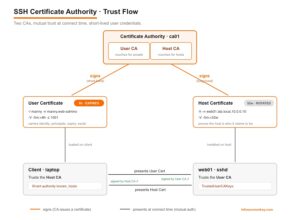
| ca01 | Holds the User CA and Host CA private keys. Signs all certificates. Kept isolated. | ca01.lab.local / 10.0.0.5 |
| web01 | Runs sshd. Trusts the User CA. Presents a host certificate signed by the Host CA. | web01.lab.local / 10.0.0.10 |
| laptop | Holds the user key pair. Requests a short-lived user certificate. Trusts the Host CA. | laptop.lab.local / 10.0.0.50 |
3. Step-by-Step Implementation Workflow
Phase 0: Prove the Fallacy to Yourself
Goal: See, on a real host, why static authorized_keys is a liability, so the rest of this guide is not abstract.
Action: Audit key sprawl and test for the three properties a good credential has that a raw key lacks: expiry, revocation, and identity binding.
What you just proved:
- The comment field (
user@host) is free text. It is not verified, and it is not identity. - There is no expiry field anywhere in a raw key. It is valid until a human remembers to delete it from every host it ever touched.
- Revoking one person means editing
authorized_keyson every host they were ever added to. Nobody does this reliably.
The fix is not “better key hygiene.” The fix is to stop authenticating with the raw key and start authenticating with a short-lived certificate that carries an expiry, an identity, and a revocation handle.
Phase 1: Build the SSH Certificate Authority
Goal: Create two separate signing keys: one that vouches for users, one that vouches for hosts. Keeping them separate limits blast radius if one leaks.
Action: On ca01, generate the User CA and Host CA key pairs. Protect them with strong passphrases. These are the crown jewels.
Gotcha: The files user_ca and host_ca (no .pub) are the private signing keys. If either leaks, an attacker can mint valid credentials for your entire fleet. For production, keep them offline or in an HSM / KMS. The .pub files are safe to distribute.
Phase 2: Make Hosts Trust the User CA
Goal: Tell sshd on every target host to accept any user certificate signed by the User CA, instead of matching individual keys in authorized_keys.
Action: Copy user_ca.pub to each host and reference it in sshd_config.
web01 will now accept a login from anyone presenting a user certificate signed by user_ca, subject to the principal rules in Phase 5. You have moved trust from “this exact key” to “any key this CA vouches for.”
Phase 3: Give Hosts an Identity Clients Can Trust
Goal: Kill the “authenticity of host cannot be established” prompt and the trust-on-first-use weakness. Clients should trust a host because the Host CA signed it, not because someone clicked yes once.
Action: On ca01, sign the host public key as a host certificate. Install it on the host, then configure clients to trust the Host CA.
Success: connecting to any *.lab.local host signed by the Host CA no longer prompts you to verify a fingerprint. New hosts join the trust set the moment they are signed, with no client changes.
Phase 4: Issue Short-Lived User Certificates
Goal: Replace the permanent key-in-authorized_keys with a certificate that expires in hours, names the human, and lists the accounts they may become.
Action: On ca01, sign the user public key with a tight validity window, an identity, principals, and a serial number.
| Flag | Meaning |
|---|---|
| -s user_ca | Sign with the User CA private key. |
| -I “manny@laptop” | Key ID / identity. Appears in sshd logs. Make it a real, greppable identity. |
| -n manny,web-admins | Principals. The login names or roles this cert is allowed to use. |
| -V -5m:+8h | Validity window. Valid from 5 minutes ago (skew slack) to 8 hours out. |
| -z 1001 | Serial number. Your revocation handle. Track these. |
Lock a cert down further with critical options. This is ideal for CI runners and contractors:
Phase 5: Principal-Based Access Control
Goal: Decide who can log in as which account, centrally, without ever touching authorized_keys.
Action: Two options. Option A: the principal must match the login username, so a cert with principal manny can only ssh manny@web01. Option B: map roles to accounts with an AuthorizedPrincipalsFile, so a web-admins principal can log in as the shared deploy account.
Phase 6: Hardware-Back the Key (Defense in Depth)
Goal: Even a short-lived cert is minted from a private key on disk. Bind that key to hardware so it cannot be copied off the laptop.
Action: Generate a FIDO2-backed key (YubiKey or similar) that requires user verification, then sign this key in Phase 4 instead of a software key.
-O verify-required forces a PIN or biometric on every use. -O resident stores a discoverable credential on the token so you can import it onto a new machine. Requires OpenSSH 8.2+ and a FIDO2 authenticator.
Phase 7: Revocation That Actually Works
Goal: Invalidate a specific certificate fleet-wide (lost laptop, offboarded contractor) without hunting through authorized_keys.
Action: Build a Key Revocation List (KRL), distribute it to hosts, and reference it in sshd_config. Revoke by certificate, serial, or key ID.
4. Verification & Validation
1. Inspect the certificate before you trust it.
Success looks like: the type ends in -cert, the signing CA fingerprint matches your User CA, the validity is a bounded window (not “forever”), and the principals and options list exactly what you signed.
2. Watch the authentication happen from the client.
You want to see the client offer a ...-CERT key and the server accept it.
3. Confirm the server side (on web01).
Success looks like a line naming the identity, serial, and CA:
Accepted publickey for deploy from 10.0.0.50 port 51234 ssh2: ED25519-CERT ID manny@laptop (serial 1001) CA ED25519 SHA256:...That single log line gives you the human (ID), the exact credential (serial), and the CA. That is the auditability a raw key never had.
4. Prove expiry works. Sign a cert with -V +1m, wait past the window, then try again. Authentication must fail with an expired-certificate error and fall through to the next method. If it still works, your validity flag or your clocks are wrong.
5. Troubleshooting & Gotchas
Gotcha 1: Client still prompts to verify the host
Cause: Either the host is not presenting its certificate (the HostCertificate line is missing or sshd was not reloaded), or the client’s @cert-authority line is wrong (wrong host pattern, or you pasted a user CA instead of host_ca.pub).
Fix: Ensure HostCertificate points at the -cert.pub file, reload sshd, and confirm the @cert-authority line holds the exact contents of host_ca.pub with a hostname pattern that matches the name you connect to.
Gotcha 2: “Certificate invalid: not yet valid” or “expired”
Cause: Clock skew. Certificate validity is wall-clock based, so if the CA, host, and client disagree on the time, a freshly minted cert can be rejected as not-yet-valid.
Fix: Enforce NTP or chrony everywhere. Always sign with a small backdated slack window, for example -V -5m:+8h, so minor skew does not break login.
Gotcha 3: Cert is valid but the login is refused
Cause: The certificate’s principals do not authorize the target account. With no AuthorizedPrincipalsFile, a principal must equal the login username. With it set, the account’s file must list one of the cert’s principals.
Fix: Either sign the cert with a principal that matches the username, or add the cert’s principal to the account’s AuthorizedPrincipalsFile entry.
Gotcha 4 (bonus): Agent forwarding quietly reintroduces the old risk
Cause: ForwardAgent exposes your loaded keys and certs to every host you hop through. One compromised jump box can use your agent socket to authenticate onward as you, before your cert expires.
The certificate model does not make SSH magically secure either. What it does is give every SSH credential the three properties a raw key never had: it expires on its own, it names a real identity in the logs, and it can be revoked fleet-wide in a single action. That is the difference between having keys and having access control.
Recent posts
-

-

DNS is one of those technologies that quietly underpins... Full Story
-

BGP issues on FortiGate firewalls usually trace back to... Full Story
-

Every time your laptop talks to your router, a... Full Story
-

If you've spent any time configuring NAT on a... Full Story
-

If you have spent any time configuring firewall policies... Full Story
-

High availability on FortiGate is one of those features... Full Story
-

If you've configured SD-WAN on a FortiGate, you've almost... Full Story
-

FortiLink is the management protocol that turns a FortiSwitch... Full Story
-

FortiSwitches are pretty rock solid from Mean Time Between... Full Story
-

This is a quicky tip. Have you ever gone... Full Story
-

DNS is one of those quiet pieces of internet... Full Story
-

This article is an updated version of the previous... Full Story
-

You will add ns2 as a secondary (slave) BIND9... Full Story
-

In the process of deploying my lab, I needed... Full Story
-

RFC 8805, used to be known as Self-Correcting IP... Full Story
-

Years back, I wrote an article about certificate pinning. ... Full Story
-

FortiGates have the ability to send alerts to Microsoft... Full Story
-

In this post, I am going to walk through... Full Story
-

Troubleshooting VoIP on a FortiGate can feel like trying... Full Story
-

Prior to FortiOS 7.0, there were three commands to... Full Story
-

In this post, I am going to go over... Full Story
-

What we are going to do: We are going... Full Story
-

Choosing between FGCP (FortiGate Clustering Protocol) and FGSP (FortiGate... Full Story
-

Creating a VLAN on macOS (The "Pro" Move) A... Full Story
-

This blog post explores the logic behind how macOS... Full Story
-

Pretty Fly for a Wi-Fi Tell My Wi-Fi Love... Full Story
-

Part of my daily gig is creating BoMs (Bill-of-Materials)... Full Story
-

ICMP introduces several security risks, but careful filtering, rate... Full Story
-

The command diag debug application dhcps -1 enables full... Full Story
-

In the world of FortiOS, execute tac report is... Full Story
-

LLDP; What is it The Link Layer Discovery Protocol... Full Story
-

What it actually does When you run diagnose fdsm... Full Story
-

Monkey Bites are bite-sized, high-impact security insights designed for... Full Story
-

I have run macOS in macOS with Parallels but... Full Story
-

Don't be confused with my other FortiNAC posts where... Full Story
-

This is the third session in a multi-part article... Full Story
-

Today I was configuring key-based authentication on a FortiGate... Full Story
-

Netcat, often called the "Swiss Army knife" of networking,... Full Story
-

At its core, IEEE 802.1X is a network layer... Full Story
-

In case you did not see the previous FortiNAC... Full Story
-

This is our 5th session where we are going... Full Story
-

Now that we have Wireshark installed and somewhat configured,... Full Story
-

The Philosophy of Packet Analysis Troubleshooting isn't about looking... Full Story
-

Here is a quick article on running lldp on... Full Story
-

If you have ever stared at a Terminal window... Full Story
-

The Problem This Solves FortiGate matches policies referencing a... Full Story